A shot list needs a place in the day.
Add shots, cast and sets, then plan times, durations, setups and breaks. Give your shoot day a running order.

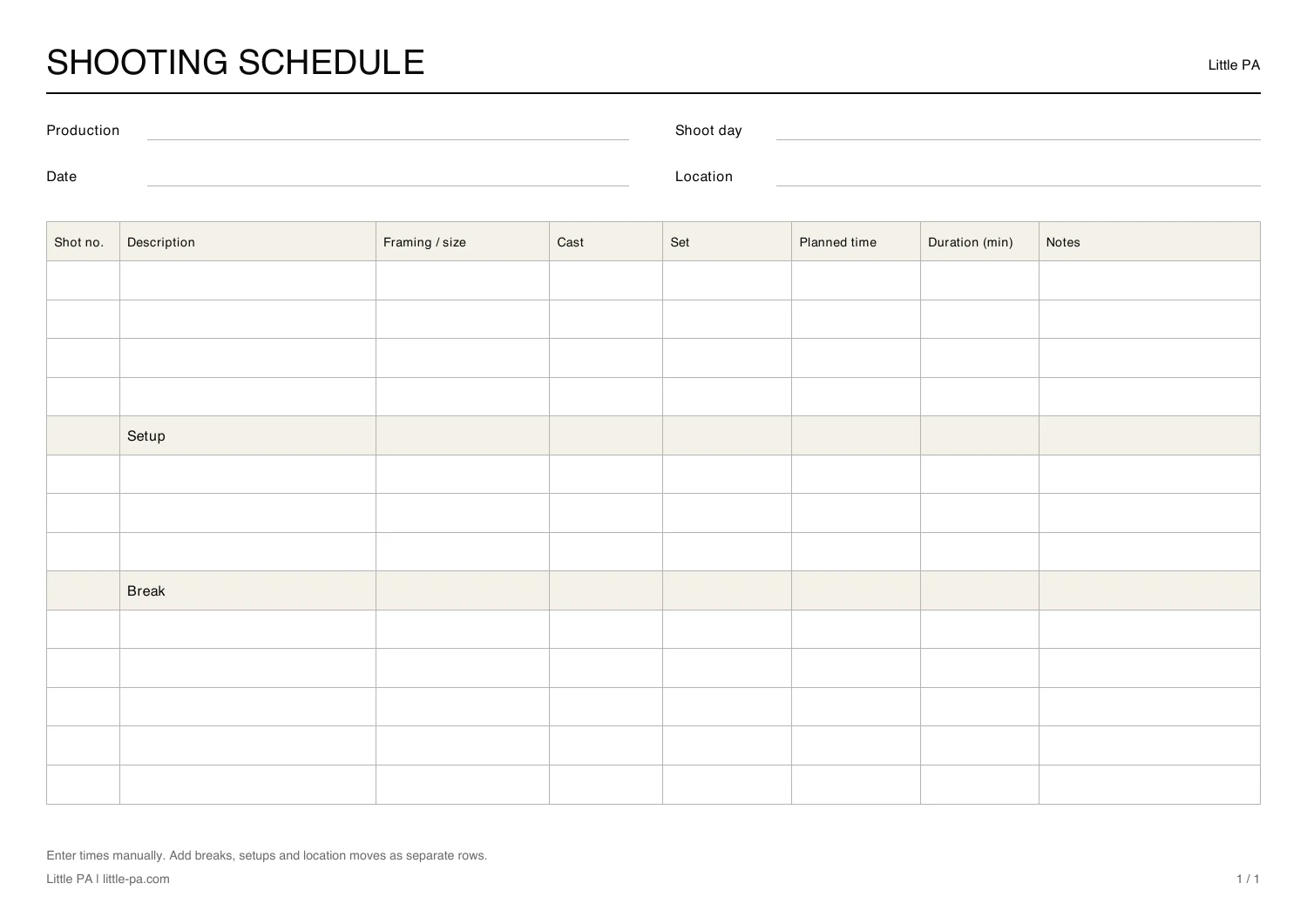
A row for each shot. Room for everything between.
Shot number, description, shot size, cast and set sit alongside planned time, duration and notes. Breaks and setups have their own rows.

Choose your format
Print the PDF and fill it in by hand, or edit the Excel file. Times are entered manually. Both cover one shoot day.
Already have a storyboard?
Shorder reads shots from your storyboard PDF. You review the details and frame each image yourself.
Explore ShorderWhat goes into a shooting schedule?
The shot list describes what you want to shoot. The schedule puts it on a day and at a time. These six details connect the two.
Production and shoot day
Put the production, shoot day, date and location at the top so everyone can identify the day.
Shot number and description
Keep the storyboard number and describe the action so each shot stays identifiable when the order changes.
Framing and shot size
Record the planned framing, such as a wide shot, medium close-up or detail. Put technical requirements in the notes.
Cast and set
Note who appears on camera and which set the shot needs. Use these details to group shots.
Time and duration
Give each shot a planned start time and duration. Check the running order with the departments involved.
Breaks and setups
Allow for breaks, setups and location moves explicitly. The template includes separate rows for breaks and setups.
Or start with the storyboard
Upload your storyboard PDF to Shorder. The import reads shots, descriptions, cast and printed shot numbers. Review the details and choose the image crops.
There is setup time between shots, too.
Assign shots to shoot days and plan shooting time, setups, breaks and location moves. Shorder calculates the times that follow.
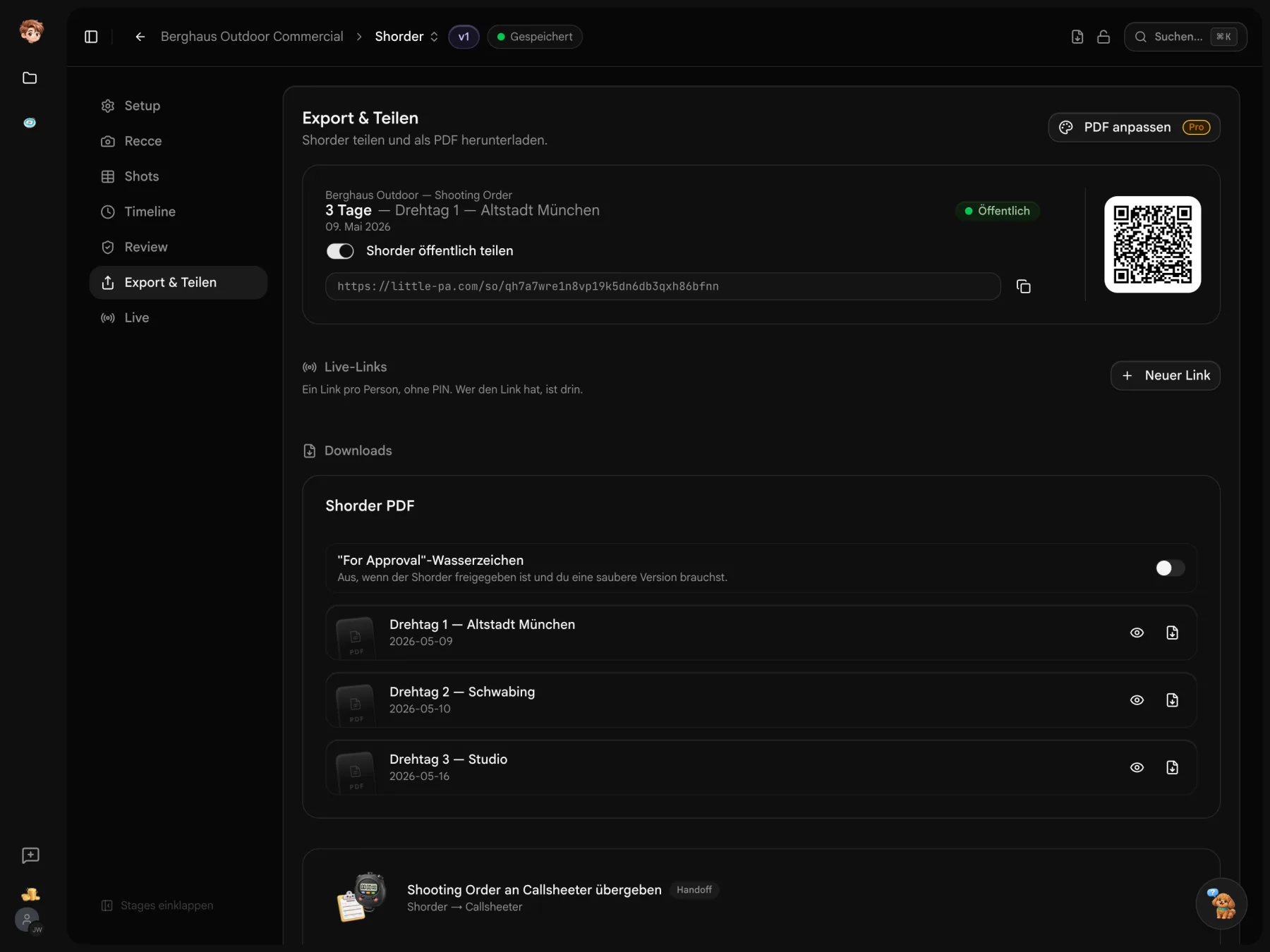
Your storyboard can be the starting point.
Import shots into Shorder, review them and plan your shoot day.
Before you send your callsheet.
About the template and planning in Shorder
Yes. Download the PDF and Excel file without an account or a form.
No. You enter times and durations yourself. Use Shorder if you want subsequent times to be calculated.
A shot list describes the planned shots. A shooting schedule adds the shoot day, running order, times, setups and breaks. This template combines both for one shoot day.
Yes. Shorder reads shots, descriptions, cast and printed shot numbers. Review the details, frame each image and assign shots to shoot days.