
Show how you see the film.
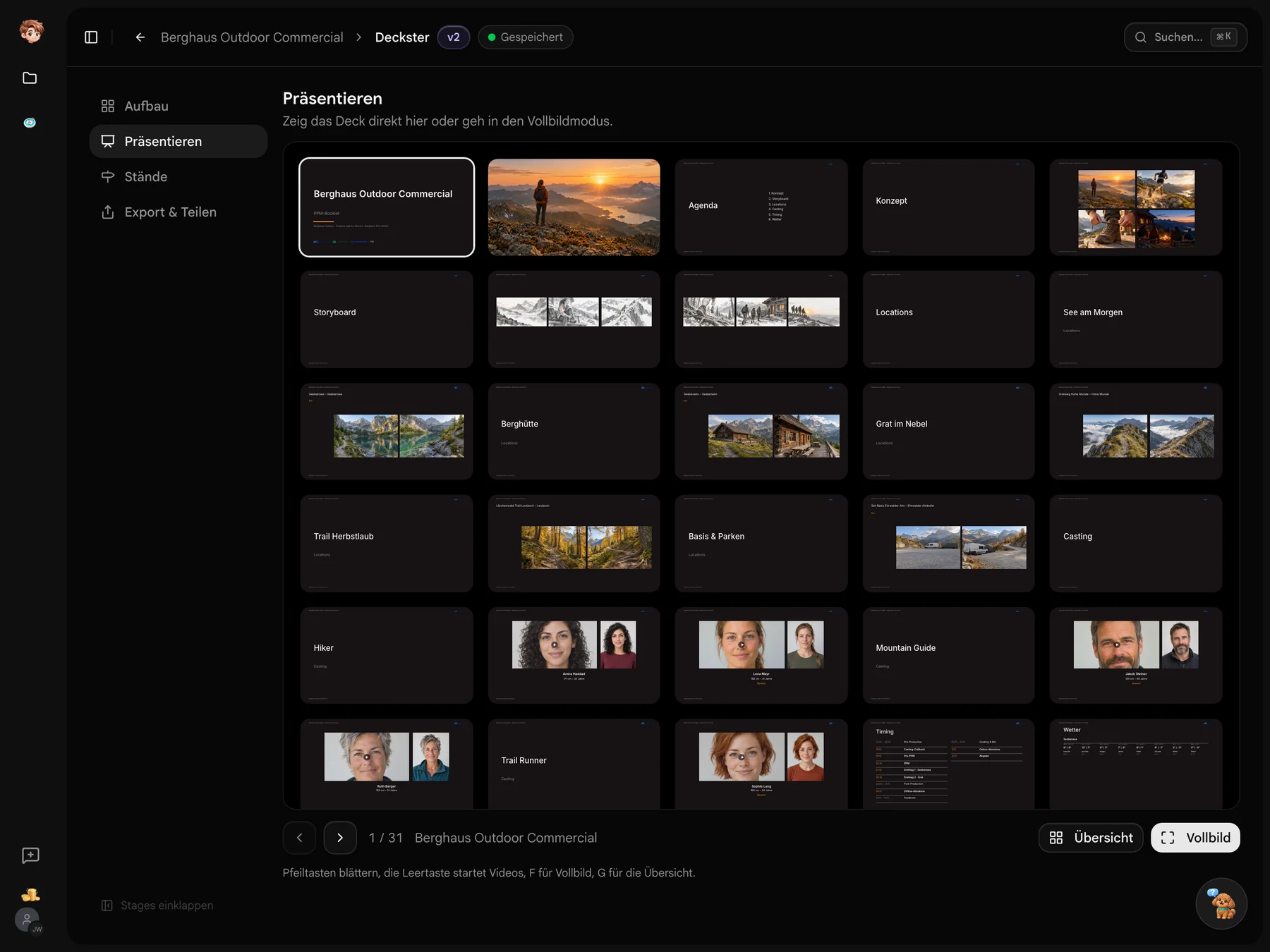
The PPM brings your preparation into view. Build a booklet with cast, locations and timing from the project, add your concept and storyboard, then share a saved version for review.
Create a PPM booklet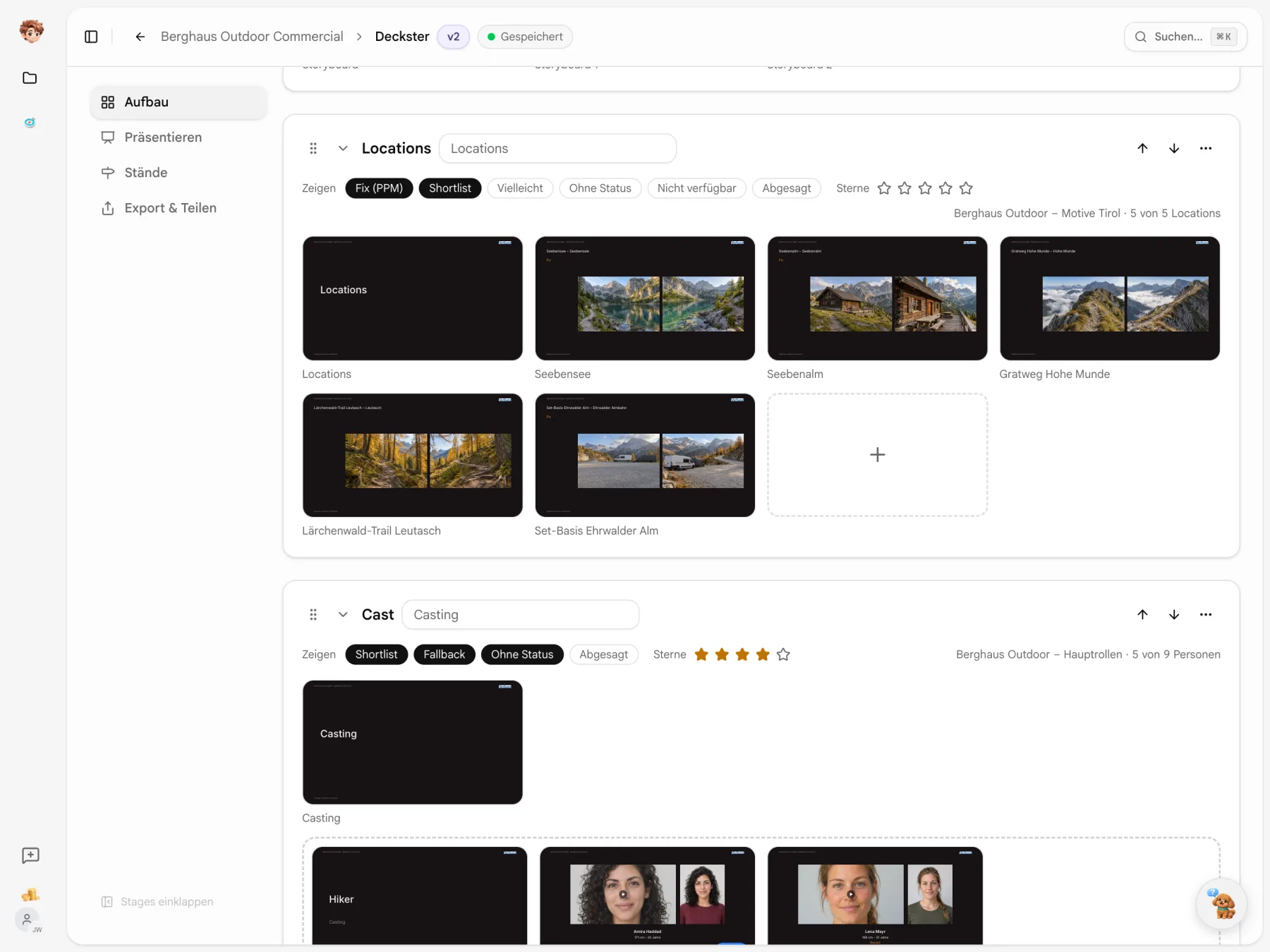
Your PPM material is already in the project.
Use cast, locations and timing from the connected tools. Add your own material and arrange the slides. Linked sources supply the current content for your working deck.
Your project supplies the content.
Casting choices, Scoutglass locations and the schedule each have a place in the booklet. Add the material that shows your idea for the film.
Scoutglass
Seebensee set to fixed
Casting Binder
Jakob Steiner cast
Timeplaner
Shoot days Sep 15–16
Berghaus Outdoor
PPM booklet
The discussion continues after the PPM.
Collect feedback on the version you shared and see how people use the booklet.

Comment on a slide
Feedback and ratings sit beside the person or location being shown. Choices such as favourite or backup stay with the content.
Track visits
See which slides people viewed through a link and for how long. Choose an email notification when a link is opened.

Export a version as PDF
Download a saved version as a PDF for printouts or your project records.
Not every location goes in the booklet.
Choose which scout statuses to include in each location section. Here, deselecting the shortlist removes two slides and leaves three confirmed locations.
- Add a rating threshold
- Set a minimum star rating alongside the status filters.
- A source for each section
- If the project has several scouts, choose the right one for each section.

Give your key visual more room.
Four images need not share equal space. Choose a layout with one large image on the left or at the top. The others sit beside or below it.
- Preview the image areas
- Layout icons show the actual image areas for your slide.
- Adjust the crop
- Drag the image to frame it. Double-click to centre it again.

Which look fits the film?
Switch between six themes to see the cover, agenda and slides change design. Each preview tile uses your own cover before you make the switch.
- Light or dark
- Five themes have light and dark versions. Studio stays dark.
- Your own colours
- Adjust the theme colours. Reset brings back the defaults.

A booklet built around your preparation.
Casting Binder, Scoutglass and Timeplaner supply material for the deck. Shoot day and weather details come from Callsheeter. Shared saved versions keep their contents.
Explore the project tools


Next up: your PPM booklet.
Choose a project and assemble the material for your next meeting. Try Deckster on the free plan.
Start for free · Compare plans and features
Before your first PPM
Sources, saved versions and links explained
Deckster uses cast from Casting Binder, locations from Scoutglass, timing from Timeplaner and shoot day details from Callsheeter. Add the concept, moodboard and storyboard yourself. An uploaded PDF can be split into individual pages.
Linked sources update your working deck. A saved version keeps its contents, so you can continue working while sharing a specific version for review.
A saved version captures a numbered pre-PPM, PPM or post-PPM edition. Share it or download a PDF. The working deck remains editable, and feedback stays attached to the slides.
No. Recipients open the link in a browser. Depending on its settings, they may be asked for their name and email before viewing, commenting or downloading a PDF. You can set an expiry date for the link.
Yes. During a live presentation, people on their links follow your slide changes and video playback. Highlight details with the laser pointer, or present full-screen from the app.
Reorder, rename, hide or add sections. Choose images, crops and available layouts for each slide. The shared design keeps the booklet consistent.