

You can keep the work in your old call sheet.
Crew lists from Excel or CSV, contacts and schedules from PDFs, shots from storyboards: each source has its own import. Check the results and add what you need. Share the finished call sheet through personal links.

Four ways into your next production
Crew list, contacts, schedule or storyboard: Choose the import for your source, review the details and bring across what you need.
- 1Callsheeter
Bring your crew list
Choose your Excel file, map the columns and review names, roles and contact details. Add the selected people to your project's crew list.
- 2Callsheeter
Contacts from the old call sheet
Upload your old call sheet as a PDF. AI extracts the contacts. Review names, roles, departments, phone numbers and email addresses, then add your selection to your contacts.
- 3Callsheeter
Bring in the schedule from a PDF
Upload your schedule as a PDF. AI extracts the entries and times. Check the times, then add the entries to your shoot day's schedule.
- 4Shorder
Turn the storyboard into a shot list
Import your storyboard PDF into Shorder. AI extracts shots, descriptions, cast and printed shot numbers. Check the details; you select the image crop for each shot yourself.

 Callsheeter
 Shorder
New call time. Same callsheet link.
A PDF captures the details at the time of export. Your shared callsheet shows the current shoot day details, including changes made after sending.

Werbespot_Berghaus_V2_FINAL.pdf
Werbespot_Berghaus_V2_FINAL-FINAL.pdf
Werbespot_Berghaus_V3_NEU.pdf
Werbespot_Berghaus_V4_DREHORT-CHANGE.pdf
Werbespot_Berghaus_V5_FINAL.pdf
Sending PDFs Each update means sending another file. The previous version stays in the inbox.


Shared callsheet Your crew opens the same link to find the latest details.
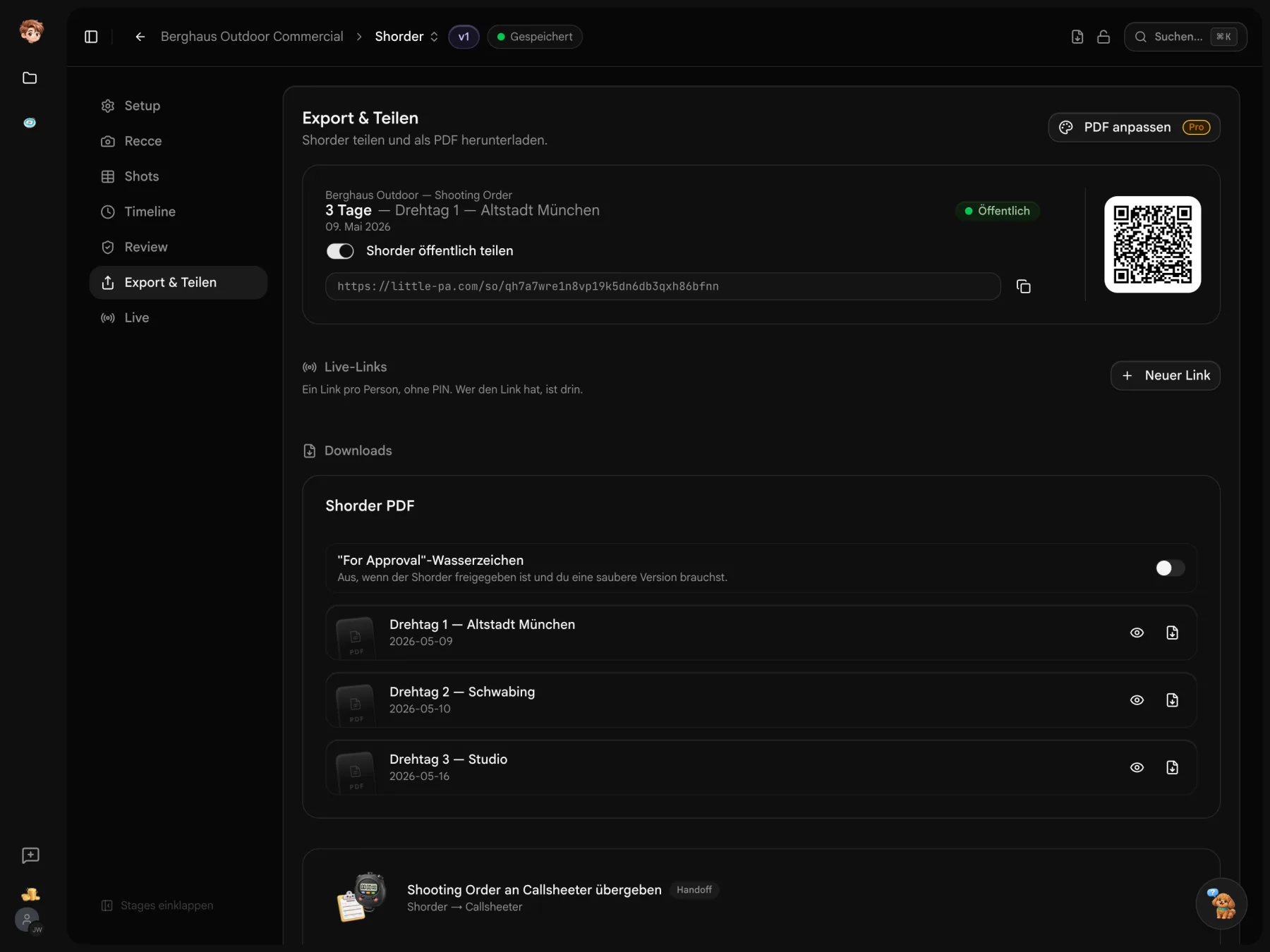
Start with the files you already have.
Create a project and choose the import that fits your source. Check the imported details, then carry on planning.
Before you send your callsheet.
Pricing, PDF export and storyboard import
You can try the tools for free in one project. Paid plans are priced per workspace, starting at €29 per month. The pricing table lists seats, storage and allowances for each plan.
Yes. Export your callsheet as a PDF for printouts, your records or a shoot day without reliable reception.
AI import reads shots, descriptions and cast from storyboard PDFs, keeping the printed shot numbers. Check the details and draw a frame around the image for each shot before importing your selection. You can combine images into a PDF in setup. Direct import of Final Draft, Movie Magic or Fountain files is not currently supported.
Review the import suggestions and correct the details or image panels before adding them. You can also edit shots in your shot list afterwards.