


Budgeted. Who is on the crew list?
Transfer selected Checkbook line items with linked contacts to the project crew list. Then assign people to shoot days; that assignment adds them to the call sheet. Each person gets their own link when you share the call sheet.

What if the drone stays longer?
Adjust the days, review the heatmap and find individual line items with search. You trigger the transfer to the crew list yourself afterwards.
- 1Checkbook
One day becomes four
Change the drone booking from one day to four. The totals bar then shows the budget is exceeded by €706.00.
- Adjust days in place
- Double-click the quantity and press Enter to save your change.
- Keep profit in view
- The target price adds the expected profit from your setup to the budgeted costs.
- 2Checkbook
What needs another look?
Turn on the heatmap to compare costs within a department. Editing stands out in strong red, grading and mixing are lighter.
- Compare costs within departments
- The highest-cost item in each department sets the colour scale for the other amounts.
- Checked items stay visible
- Mark an item as checked and it stays green with the heatmap on.
- 3Checkbook
Find items, keep the totals
Search for “Kamera”. Checkbook shows matching crew and equipment items without you having to go through each department.
- Find the person
- Search by name to review the line items budgeted for a person.
- Every cost still counts
- Hidden items still count towards your department totals and the overall budget total.
 Checkbook

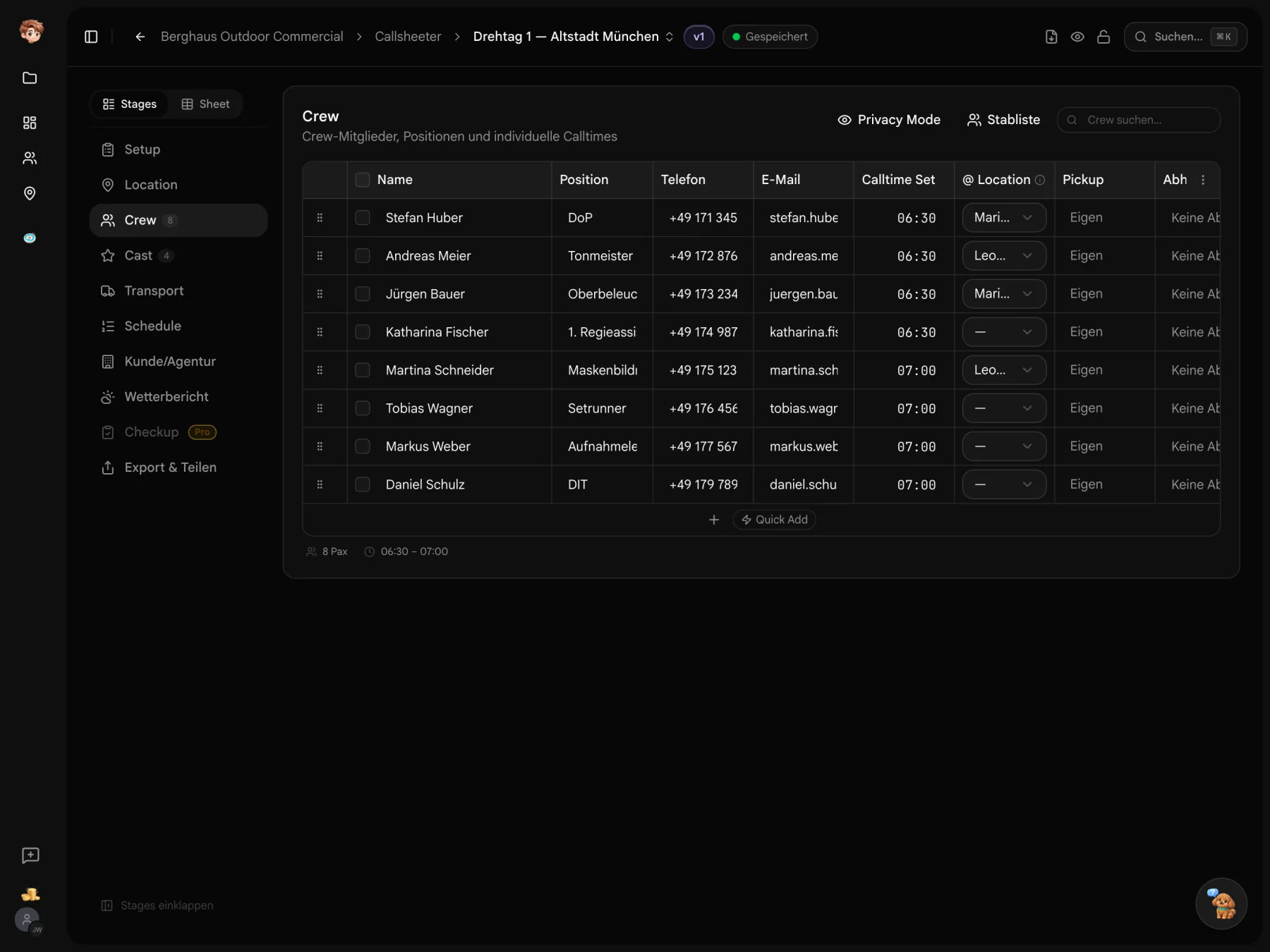
From a budgeted role to crew on set
Create your budget and link the contacts. Transfer selected line items to the crew list and assign them to shoot days.
Working with Checkbook
Pricing, budgeting and crew access
Use Checkbook in one project on the free plan. Paid plans are per workspace and start at €29 a month before tax. People opening a view-only link do not need an account or an additional full seat.
Build production budgets, comment on line items, compare versions and share a PDF or link. Checkbook currently does not replace quotation or invoicing software. Development is ongoing.
Workspace owners, admins and producers have access to the figures. Access for assistants can be turned off in workspace settings. Project guests cannot access budgets or day rates.
No. Recipients can open the callsheet link in a browser without signing up. With personal delivery links, you can track confirmations in the delivery overview.