


Location confirmed. Where does the crew go?
Review and rate locations in Scoutglass. Confirmed locations from the same project are available to select in Callsheeter. Add the map view and directions there.

A location needs more than good photos
Find locations, review them in the viewer and prepare the map for your call sheet.
- 1Scoutglass
Three matches for “Wolken”
Search for “Wolken”, even if the word isn’t in your notes. Scoutglass also searches the image content of tagged photos and videos. Three of five locations remain.
- Search for light and weather
- AI tags describe visible details in German and English, including objects, light and weather.
- Search video content too
- For videos longer than three seconds, stills from the start, middle and end provide the search terms.
- 2Scoutglass
Your selection in the viewer
Open a location in the viewer and browse your search results. Use the arrow keys to switch locations and 1 to 5 to give stars.
- Capture your first impression
- Type your comment in the viewer and press Enter to post it.
- See what others think
- Alongside your own stars, you see reviewers’ ratings by name and their average score.
- 3ScoutglassCallsheeter
This way to set
Select a confirmed location from the same project in Callsheeter. Then prepare the map for your call sheet with a map area and an arrow.
- Make the entrance clear
- Mark parking and the entrance with shapes and text directly on your map.
- Plan the location move
- With coordinates set for multiple locations, turn on the route planner for the journeys on your shoot day.
 Scoutglass

 Callsheeter
New call time. Same callsheet link.
A PDF captures the details at the time of export. Your shared callsheet shows the current shoot day details, including changes made after sending.

Werbespot_Berghaus_V2_FINAL.pdf
Werbespot_Berghaus_V2_FINAL-FINAL.pdf
Werbespot_Berghaus_V3_NEU.pdf
Werbespot_Berghaus_V4_DREHORT-CHANGE.pdf
Werbespot_Berghaus_V5_FINAL.pdf
Sending PDFs Each update means sending another file. The previous version stays in the inbox.


Shared callsheet Your crew opens the same link to find the latest details.
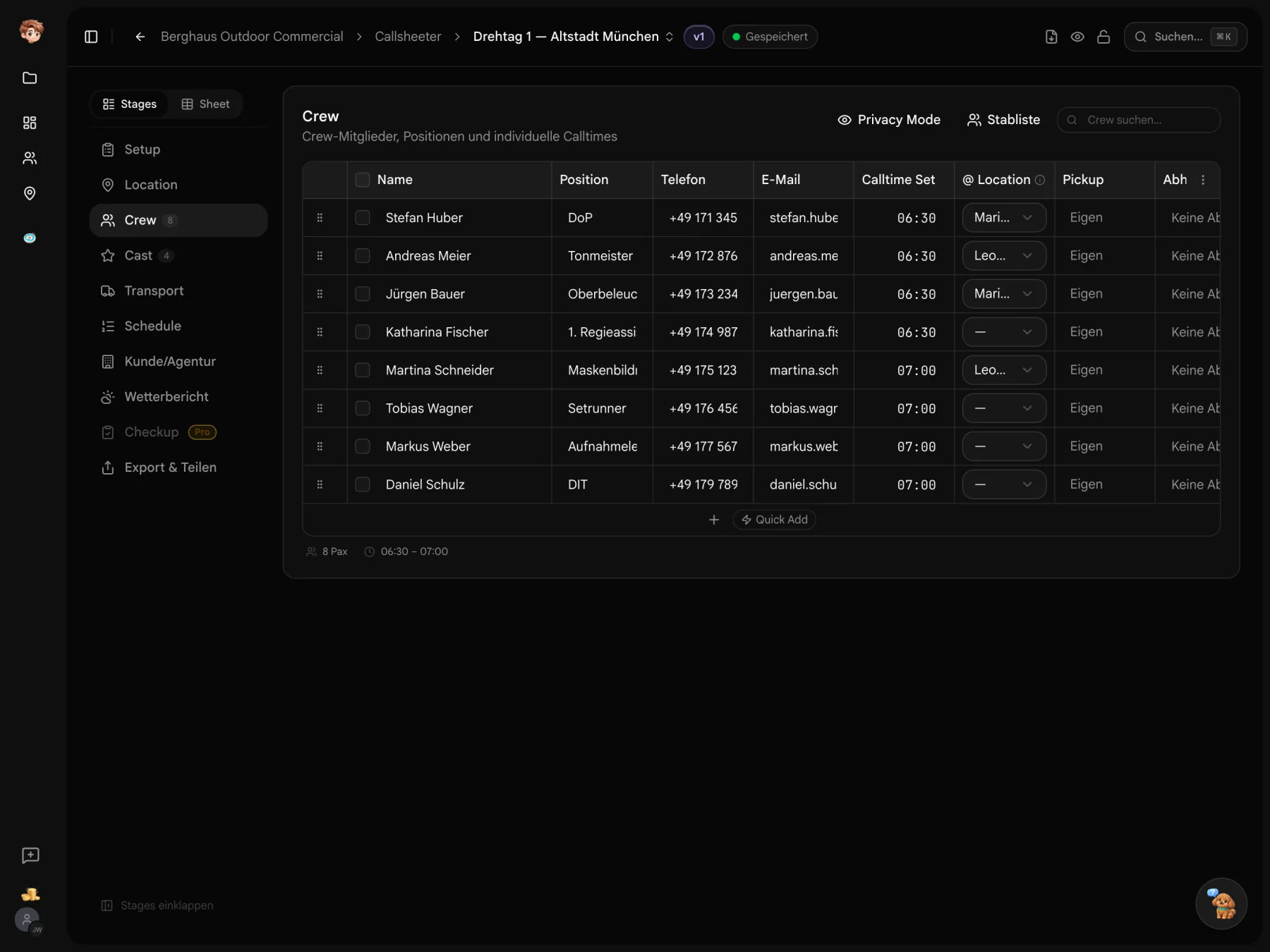
Turn a location into a meeting point.
Create a project, collect locations in Scoutglass and confirm your selection. Select the location in Callsheeter and add directions.
Before you send your callsheet.
Pricing, location selection and crew access
You can try the tools for free in one project. Paid plans are priced per workspace, starting at €29 per month. The pricing table lists seats, storage and allowances for each plan.
You can collect locations, share them for review and export them. Workflows and details are still being developed. Scout Splat is experimental. Send feedback directly through the app.
No. Recipients can open the callsheet link in a browser without signing up. With personal delivery links, you can track confirmations in the delivery overview.
Yes. Export your callsheet as a PDF for printouts, your records or a shoot day without reliable reception.