
A call sheet template for your next shoot day.
Production, call time, location, schedule and contacts on one page. Download the PDF to print or the Excel file to edit.

Your call sheet has a starting point.
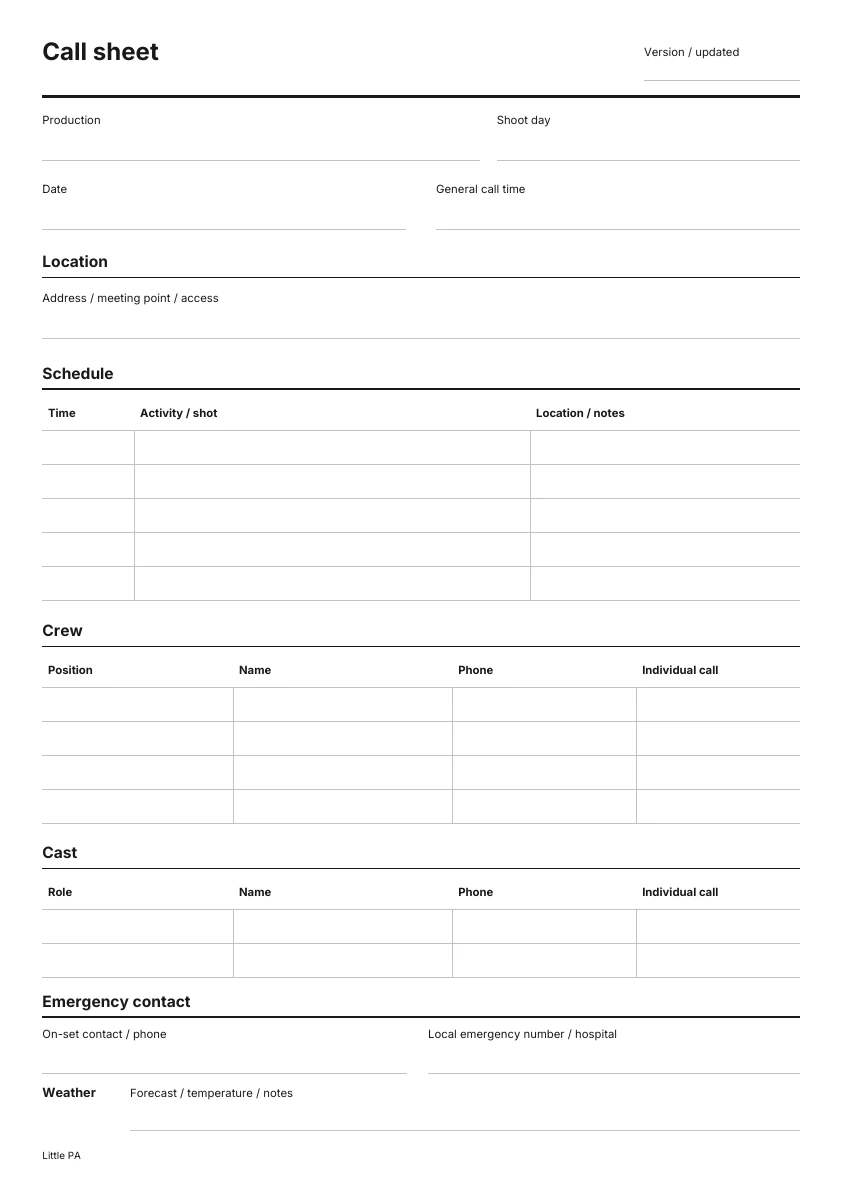
Crew, cast, locations and schedule: there is room for your shoot day details. Choose the PDF to print and fill in by hand, or Excel to edit.

Download the call sheet template
Free. No account or form required.
Or share a link that stays up to date.
Add your shoot day details in Callsheeter and share it with the crew. Changes appear at the same link.
Explore CallsheeterWhat goes on a call sheet?
A call sheet covers a single shoot day. Fill in the details and check them with your production team before distributing it.
Production, shoot day and date
Clearly identify the production and the day. Add a version reference when making changes so the crew can tell versions apart.
Call time and schedule
State the general call time. Add individual calls, setup, filming, breaks and the planned wrap where they differ from the general call.
Location and address
Include the full address. Add meeting point, access and parking details where they are needed for arrival.
Crew and cast
List names, positions or roles and the phone numbers needed for the shoot. Share personal contact details only with the people who need them for production.
Emergency contact
Name the on-set contact and the local emergency number. Check the details for your actual shoot location; add the relevant hospital if needed.
Weather and notes
Add the forecast for the shoot location and date, plus any clothing or weather protection notes. Check the details again before sending.
The file is sent. The shoot day carries on.
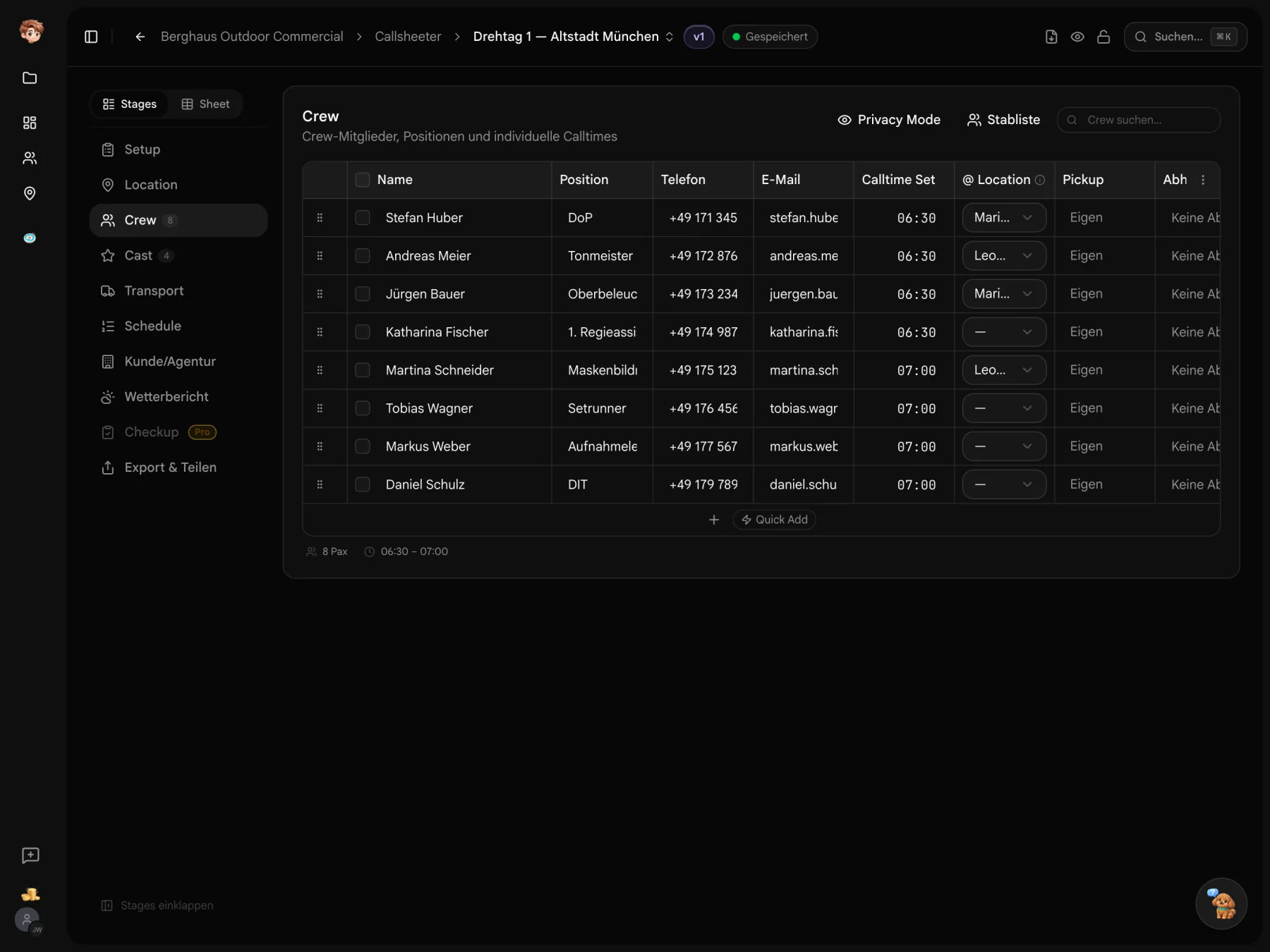
In Callsheeter, share a personal call sheet link. Changes appear at the same link and crew can confirm the current version. You can still export a PDF.
Your call sheet can be a link, too.
Create a shoot day in Callsheeter and add crew, cast and locations. Then share it with your team.
Before you send your callsheet.
File formats, editing and the details for your shoot day.
Yes. The PDF and Excel files are linked directly. You do not need an account or have to fill in a form.
The PDF has blank fields to print and fill in by hand. It is not an interactive PDF form. You can edit the Excel file in a compatible spreadsheet application and add more rows.
A call sheet gives the team the details for one shoot day, including call times, locations and contacts. A shooting schedule can cover several days. In German, a call sheet is also called a Tagesdisposition or Dispo.
It is a blank starting point. Your production may need additional details such as transport, individual call times, safety notes or directions. Check the contents with your production team before distributing it.