

There is a whole production around the shoot.
Prep, the PPM, the shoot and reviews all need room in the calendar. Plan the production as a timeline, calendar or list. Add dates yourself or use AI to import them from a brief.
Plan a production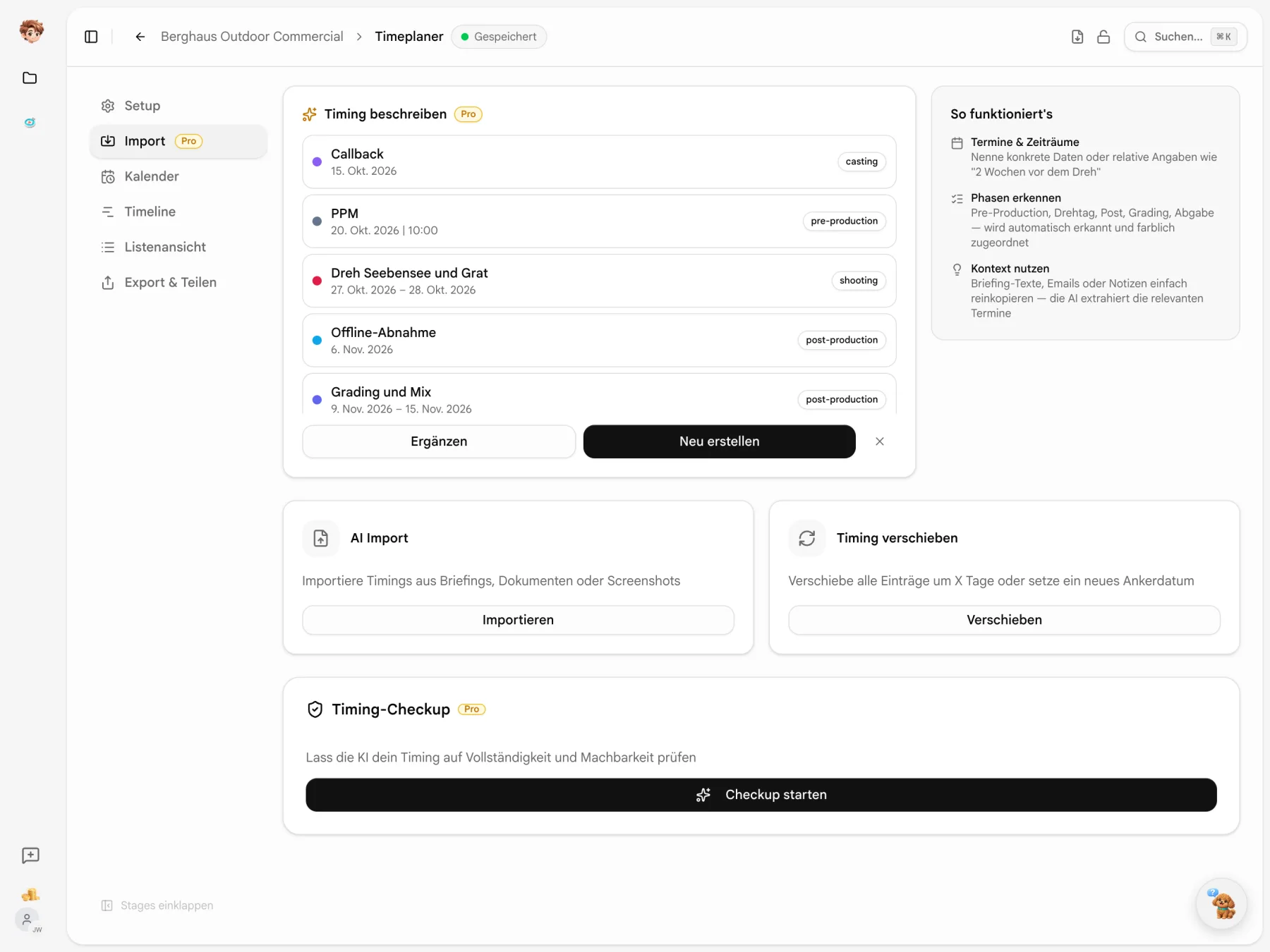
The first dates are already in the brief.
Paste an email or note, or upload a PDF or screenshot. AI suggests dates and phases for your schedule. Review the preview and choose what to add.
The delivery date cannot always move with the shoot.
Tell Kontext what has moved. AI suggests changes to the schedule while taking locked entries into account. Review the preview before applying them.
Kontext
in your timing
Ask Kontext something …
Timing
Berghaus OutdoorPre-Production
Aug 31–Sep 11PPM
Sep 8Shoot day 1 · Seebensee
Sep 15Shoot day 2 · Grat
Sep 16Offline approval
Sep 25Grading & Mix
Sep 28–Oct 2Delivery
Oct 9
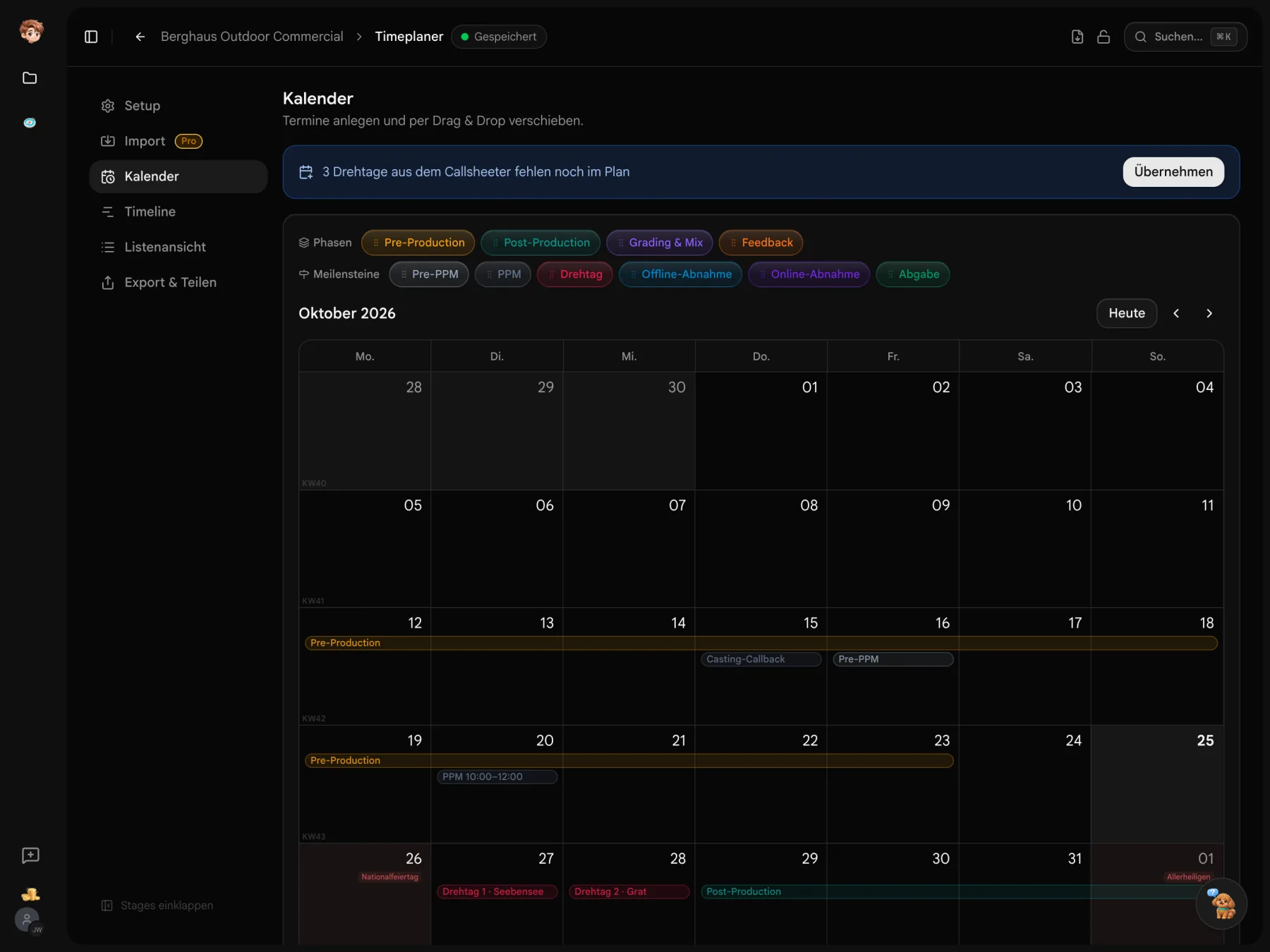
The smaller dates matter, too.
Look out for missing shoot days, gaps between phases and public holidays as you plan.

Import shoot days
Import shoot days from Callsheeter. Hints show when days from the project are missing from the schedule.

Review the schedule
Ask AI to look for missing phases, tight gaps and dates that may cause problems. Use its findings to review your plan.
Allow for public holidays
Show public holidays for Austria or Germany. Include week numbers in the PDF when you need them.
Shoot days and deadlines at a glance.
The start page brings together dates from all schedules for the next 14 days. “Next up” lists up to five entries with relative dates and links to their calendars.
- Approvals counted separately
- Offline approval, online approval and delivery share a separate count.
- Missing shoot days first
- Upcoming Callsheeter shoot days missing from the schedule on that date go first in “Next up”.

How much time is left until delivery?
The list shows the gap between consecutive dates in days or weeks. Read the time available between the final approval and delivery straight from the schedule.
- Today in the schedule
- The today marker sits in the relevant gap between dates.
- A milestone countdown
- Each milestone shows its distance from today. Past dates turn grey.

Even approval dates can move.
Drag offline approval from Friday to Thursday. The new date saves immediately. Locked entries show a padlock and cannot be dragged.
- Resize a phase
- Drag the start or end of a phase to adjust its date range.
- From the bar to the plan
- Drag a PPM, shoot day or approval template straight onto a calendar day.

Your shoot days are already in the project.
Import shoot days from Callsheeter into your production schedule. Deckster uses the timing as material for your PPM booklet.
Explore the project tools
Plan the days before the shoot, too.
Start with your project and the first dates from the brief. Try the calendar, timeline and sharing for free.
Start for free · Compare plans and features
About production planning
Importing, adjusting and sharing your schedule
Calendar, timeline, list, PDF and the shared link have no additional charge. AI features such as import, rescheduling and check-up use workspace credits. Custom logos and PDF colours are part of paid plans; see the pricing overview for details.
Planning, sharing and export are available. Timeplaner is still being developed, so workflows and details may change. Use in-app feedback to report missing features or unexpected behaviour.
Paste text from an email or brief, or upload a screenshot or PDF. AI creates a suggestion and can interpret German, English and relative date references. Review the preview before applying it. You can also create entries manually.
Locked entries are kept when AI reschedules the plan and cannot be accidentally dragged in the calendar. Review the proposed changes around those fixed dates before applying them.
Import shoot days from Callsheeter into Timeplaner; entries for days already present are skipped. Deckster uses the schedule for the timing section of the PPM booklet.
Export a German or English PDF with the calendar, timeline and notes for the dates you need. Alternatively, share a view-only link showing the current schedule. Recipients do not need an account, and you can disable the link.