

Which final callsheet are we on now?
Call time moved, meeting point changed: update your callsheet. Your crew can find the latest details at the same link. Plan crew, cast, locations and transport in Callsheeter.
Create a callsheet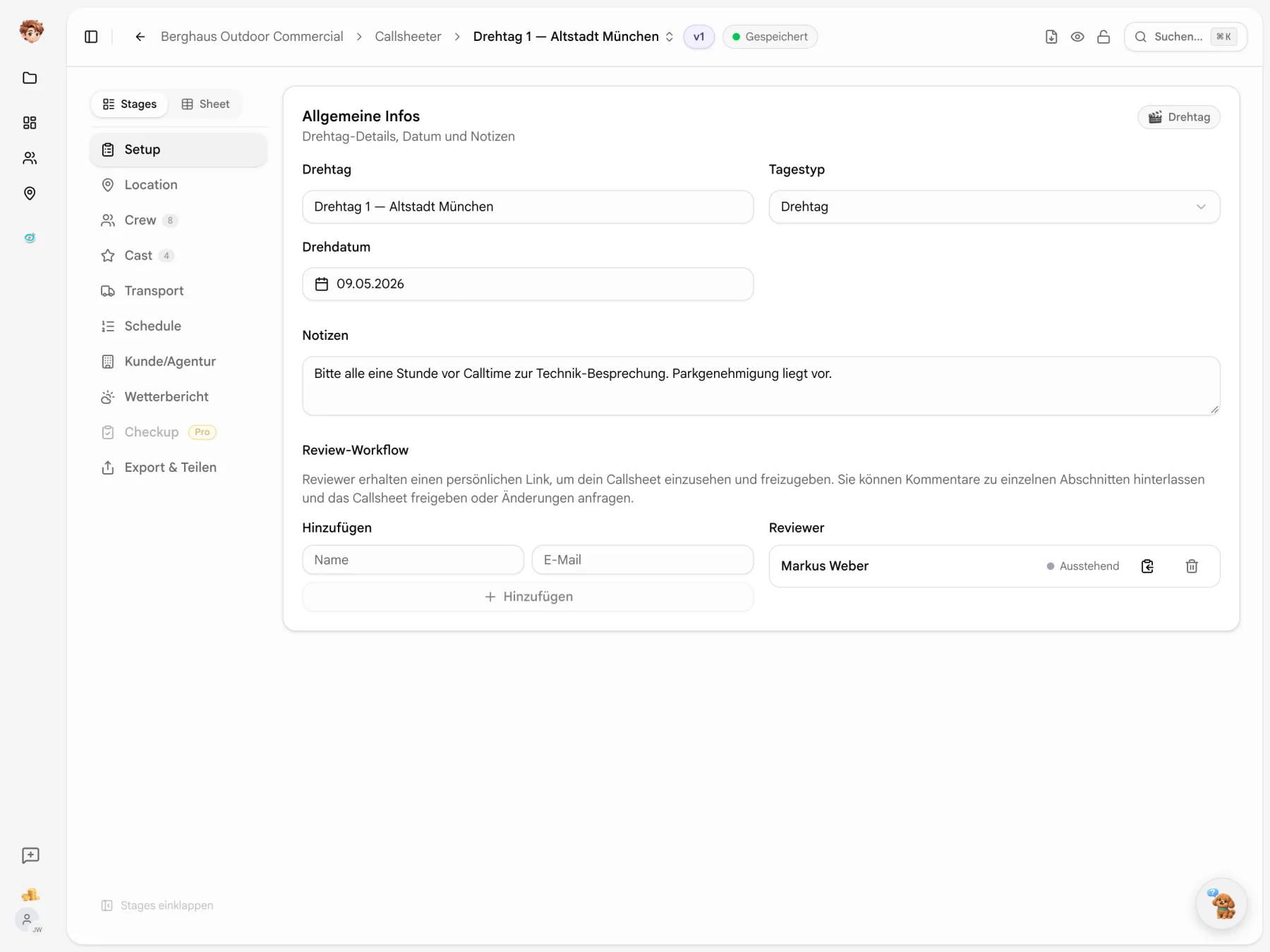
You already know the crew.
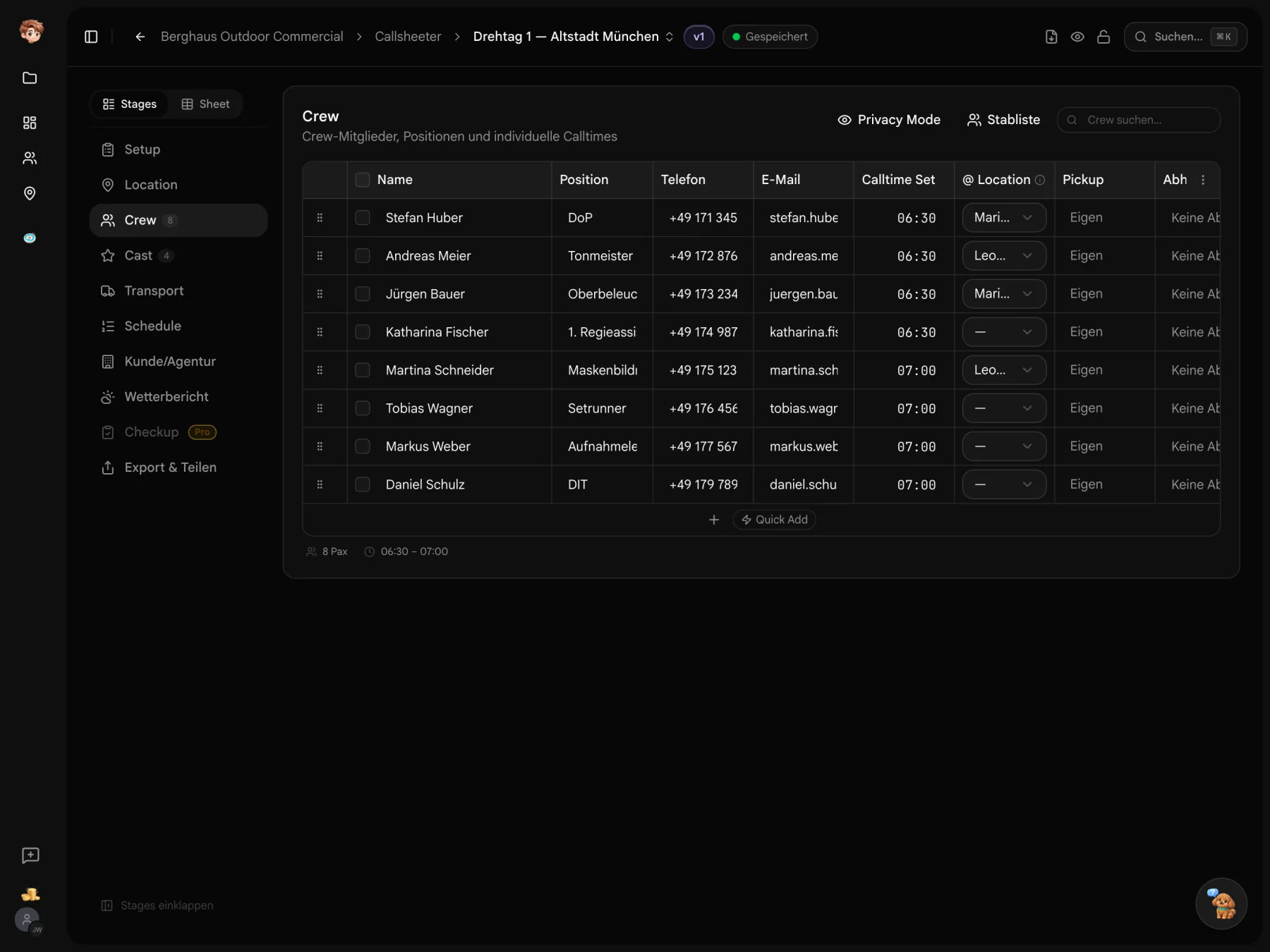
Bring in the crew list from your project and add call times for the day. Saved contacts and locations save you another round of copying details.
New call time. Same callsheet link.
A PDF captures the details at the time of export. Your shared callsheet shows the current shoot day details, including changes made after sending.


Werbespot_Berghaus_V2_FINAL.pdf
Werbespot_Berghaus_V2_FINAL-FINAL.pdf
Werbespot_Berghaus_V3_NEU.pdf
Werbespot_Berghaus_V4_DREHORT-CHANGE.pdf
Werbespot_Berghaus_V5_FINAL.pdf
Sending PDFs Each update means sending another file. The previous version stays in the inbox.


Shared callsheet Your crew opens the same link to find the latest details.
There is work to do before you hit send.
Bring in your crew list, write the email, check the details. Reuse your project data and get help with drafting and checking.
Bring in your crew list
Assign crew from your project to the shoot day. Their names, roles and contact details come with them.

Draft the email
Let AI draft an email from your project and shoot day details. Review and edit it before sending.

Find missing details
Run a check-up to flag missing details and conflicting times. You decide what to correct.
An address won’t show you the entrance.
An address won't tell your crew where to park. Add a map to each location, with notes on parking and the entrance.
- Mark the way in
- Choose the map area, then draw arrows, shapes or text directly on it.
- On to the next location
- The route planner shows the way between locations on your shoot day.

Who’s riding in which car?
Click to assign crew and cast to a vehicle. Each vehicle lists its driver, seats and timed stops. Anyone making their own way is listed separately.
- Distance and drive time
- Change the route and the distance and drive time are recalculated.
- A run sheet for each driver
- Each driver gets their own run sheet as a PDF, by email or link.

Personal links for crew and cast.
Create personal links for crew and cast. Send them by email, SMS or WhatsApp, wherever you usually reach that person.
- Versions for each audience
- Create versions of your callsheet for the client, agency or crew.
- PDF and QR code
- Export a PDF for print or screen. A QR code lets people scan to open the callsheet.

Your shooting order is already in Shorder.
Transfer your planned shooting order from Shorder to the callsheet. Reuse your project crew list and saved location details to prepare the rest.
Explore all tools

“Before Callsheeter, it was seven PDFs per shoot day in my inbox. Now I send one link — and in the morning I see who's already on it.”
Your next callsheet is coming up.
Try Callsheeter with a shoot day from your project. Start for free, without a credit card.
Start for free · Compare plans and features
Before you send your callsheet.
Costs, access and export options
You can try the tools for free in one project. Paid plans are priced per workspace, starting at €29 per month. The pricing table lists seats, storage and allowances for each plan.
A PDF shows the details at the time of export. The callsheet link shows the current shoot day details. If you change a call time or location, the update is available at the same link.
No. Recipients can open the callsheet link in a browser without signing up. With personal delivery links, you can track confirmations in the delivery overview.
Yes. Export your callsheet as a PDF for printouts, your records or a shoot day without reliable reception.
Assign crew from the project crew list and reuse saved contacts and locations. Transfer the shooting order from Shorder, then check the call times and details for that shoot day.
You need an internet connection to view the latest details through the callsheet link. Download a PDF before the shoot if reception is unreliable. It contains the details as they were at the time of export.