

Find the signature style for your spot.
You know how the film should feel. Matcha searches directors’ work using your brief and explains the results. Save your favourites in a shortlist you can share.
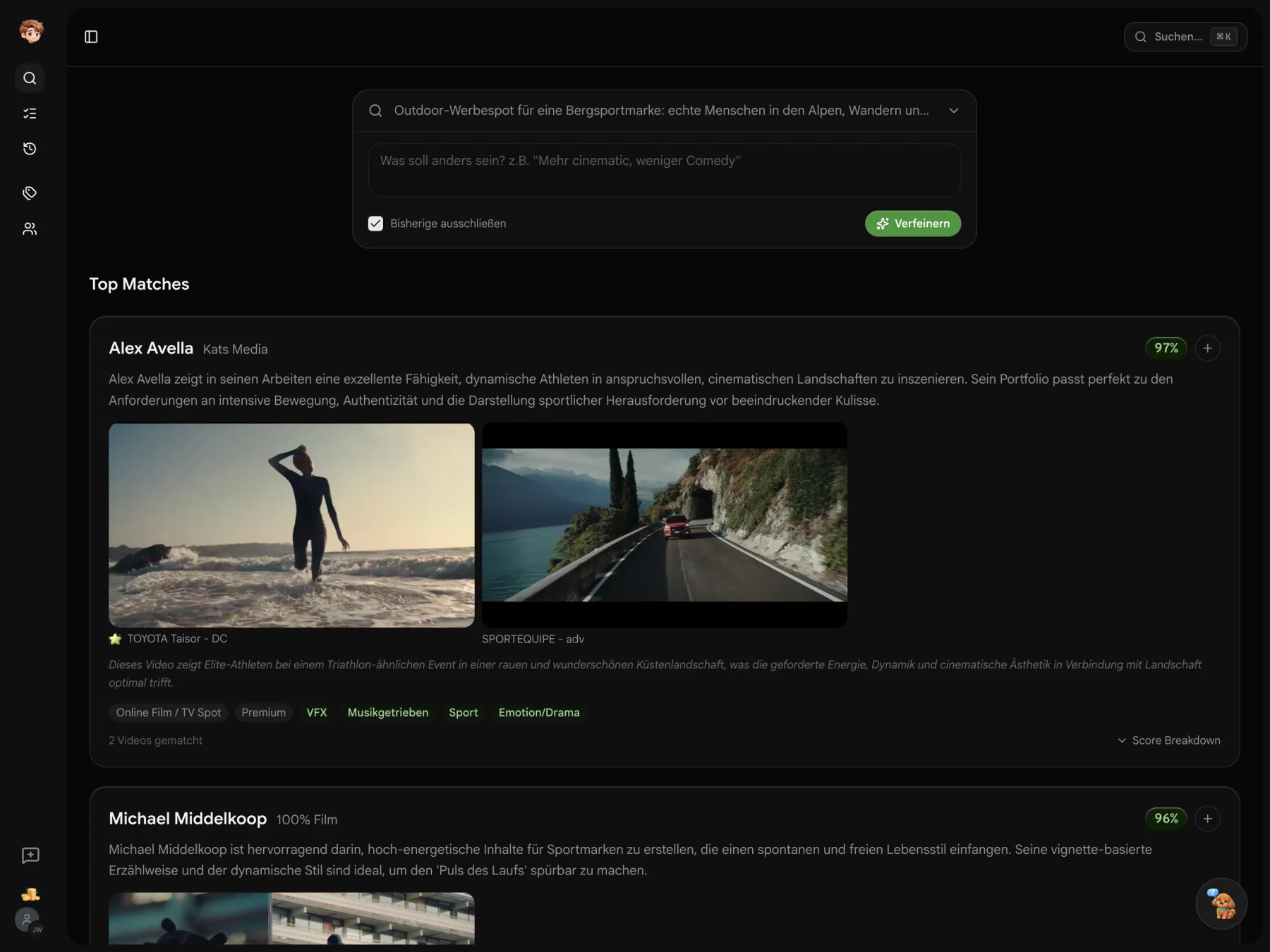
Find a director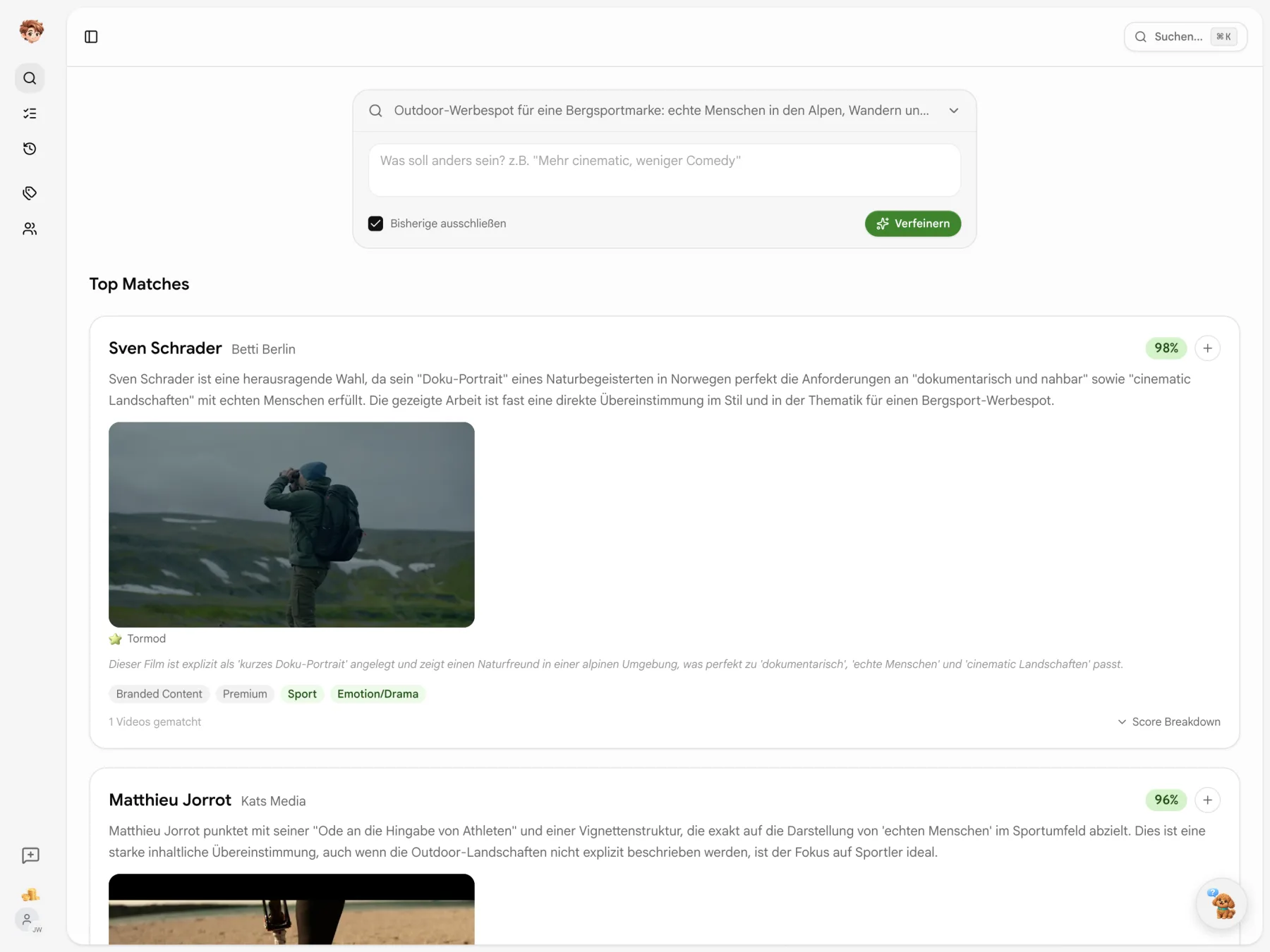
Describe the film you have in mind.
Tone, visual style and production context give your search a direction. Matcha compares your brief with analysed commercials and explains why a director could fit.
A director’s films show their style.
Matcha searches a catalogue of analysed commercials. Your brief supplies the criteria; the results show relevant work, a match score and a reason for the recommendation.
You decide what to look for.
Supply the brief, set priorities and explore the work behind each recommendation.

Read a PDF brief
Upload the agency’s PDF brief. Matcha summarizes its contents for the search.

Set priorities
Weight important terms or exclude things you do not want. The brief’s markers show what the search should focus on.

Understand recommendations
Watch the relevant films and read the reason behind a result. You can also inspect how its match score is calculated.
Finding references also means saying no.
Combine catalogue tags: click to include, Shift-click to exclude. Here, documentary films remain, with those tagged as music-driven left out.
- Every selected tag
- A film stays only if it has every selected tag and none of the excluded ones.
- Counts update with you
- Tag counts reflect the remaining films. Tags with no matches disappear.

Visual style before you press play.
Move across a thumbnail to browse still frames from the film. A bar tracks your position, giving you a first look at the visual style.
- Twelve frames per film
- The preview uses still frames, following your mouse position across the image.
- Open the film
- Click the thumbnail to open its detail page.

You can explain your reference choice.
Open “Camera Work” to read the analysis of the camera work. Each film’s English-language analysis has six sections you can expand individually.
- Six perspectives
- Content, visual concept, camera, lighting and colour, editing and pacing, and a director assessment.
- Analysis date included
- The detail page shows when the film was analysed.

Tell Matcha about your next commercial.
Start with your brief and compare the first references. No credit card is needed to get started.
Start for free · Compare plans and features
Searching with Matcha
Catalogue, search criteria and shortlists
Matcha uses your workspace’s AI credits. A search uses one credit; a search from a PDF brief uses five. Shortlists, notes and shared links do not use additional search credits.
Matcha searches a shared catalogue of analysed commercials. The analyses describe visual style, lighting, camera work, format and industry, among other details. They are the basis for matching your brief.
Yes. Filter by one or more agencies. The catalogue also lets you browse an agency’s directors and their films.
Mark terms in the brief with *light*, **emphasized** or ***strong*** weighting. Use $term$ to exclude something. Matcha displays those weights as chips in the brief.
Once you enable the link, recipients can see the selected directors, relevant films, brief and notes without logging in. Until then the shortlist is private. You can disable the link again.
Yes. Search history keeps earlier briefs and their results. Reopen a search, refine its criteria or save favourites to a shortlist.