

Bring your team along on the scout.
You have seen the locations. Now the team needs something to base the choice on. Collect photos, videos and location details, then invite directors and agencies to review them through a link.
Create a scout
Give the folder a place on the map.
Drop your scout folders into Scoutglass. Each folder becomes a location; available GPS details come from the photos. Add the address and details or import them from an agency link.
Show the options before you decide.
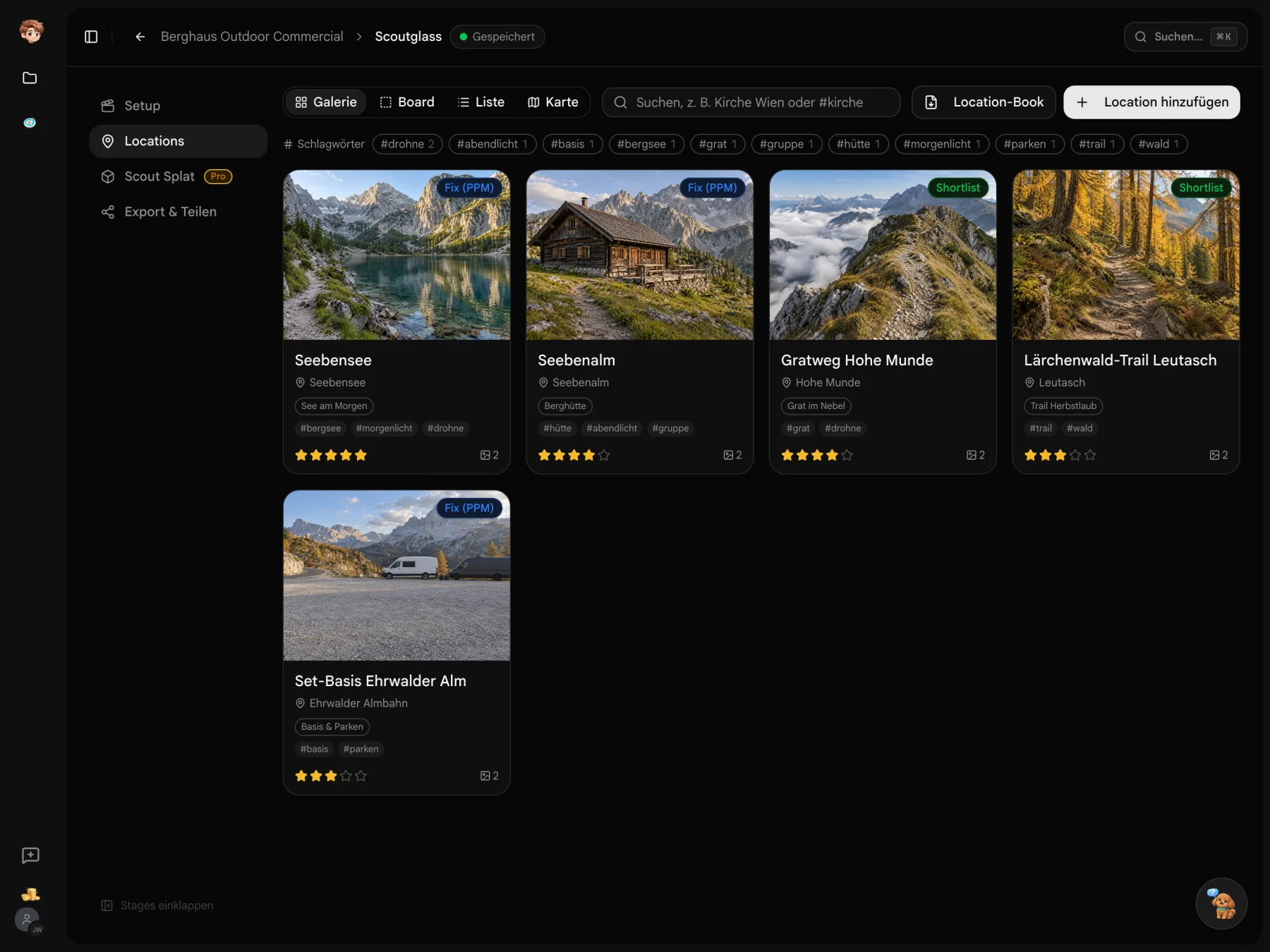
Organize the material by location, share review links and collect ratings. When a location is confirmed, record its status in the project.
Scouting day
- Seebensee/14 photos · 2 videosGPS
- Almhütte/9 photosGPS
- Grat_Morgen/11 photos · 3 videosGPS
Review links
- LLisa · DirectorLink sent
- TTom · AgencyLink sent
Seebensee
Ehrwald, Tirol
Lake morningMountain hut
Karwendel, Tirol
Hut eveningRidge
Mieminger Kette, Tirol
Ridge daySeebensee shows up in the callsheet as a set suggestion
Remember where you found that place.
Use sources, motifs and tags to organize locations around your production.
Import agency links
Paste a location link and review the detected details. Add the photos, address and source to your location.
Organize by motif
Create motifs such as “lake at dawn” and assign suitable locations. Reviewers can filter by these motifs.

Search with tags
Add tags such as #church to your notes. Search also uses names, addresses and motifs.
Where was that cabin?
Hover over a location pin to see its photo, name and address. Click to open it in the viewer. The map fits the available pins into view.
- Place an address
- Scoutglass looks up coordinates after you save a manually entered address.
- Just the matches
- When a search is active, the map shows only matching locations too.

There’s more in the photo than the notes.
For newly uploaded, tagged photos and videos, Scoutglass also searches image content. “Clouds” can find a location even when its notes say nothing about them.
- Words from the image
- AI tags cover details such as objects, light and weather in German and English.
- Three frames per video
- Video tagging uses three still frames from the video.

Eyes on locations, fingers on keys.
Open a location in the viewer, move on and rate it there. Use the arrow keys to change locations and keys 1 to 5 to set your rating.
- Just start typing
- Your text goes into the comment field. Enter sends it.
- Ratings side by side
- See reviewers’ ratings with their names and average beside your own stars.

Your chosen location stays in the project.
Confirmed locations are suggested in the callsheet. Deckster uses the material in the booklet. Photos and videos are available in the media pool, including for a Shorder recce.
Explore the project tools
Bring back the photos from your scout.
Create a scout for your project and collect your first locations. Try the workflow for free.
Start for free · Compare plans and features
Collecting and choosing locations
Files, review links and exports
Try Scoutglass in one project on the free plan. Paid plans start at €29 per workspace a month before tax. External reviewers do not need a full seat. Agency-link import and Scout Splat are intended for paid plans.
You can collect locations, share them for review and export them. Workflows and details are still being developed. Scout Splat is experimental. Send feedback directly through the app.
Scoutglass supports photos and videos. iPhone HEIC photos are converted. Import whole folders to create a location for each one. Videos are processed for playback in review.
They open a personal review link without an account, browse the locations and add ratings or comments. Limit the link to your best-of selection if needed. Motifs help reviewers filter the options.
Scout Splat turns a location video into a spatial scan. Explore viewpoints, focal lengths and formats with a virtual camera and save shots. Processing takes place in the cloud. The feature is experimental and intended for paid plans.
Confirmed locations are suggested with their address in the callsheet. Deckster uses scout content for the location booklet. Photos and videos are also available in the project’s media pool.