
The numbers are part of the film, too.
Build your production budget with departments, quantities and day rates. Save alternative versions, discuss individual line items with your team and share the budget as a PDF or link.
Budget a production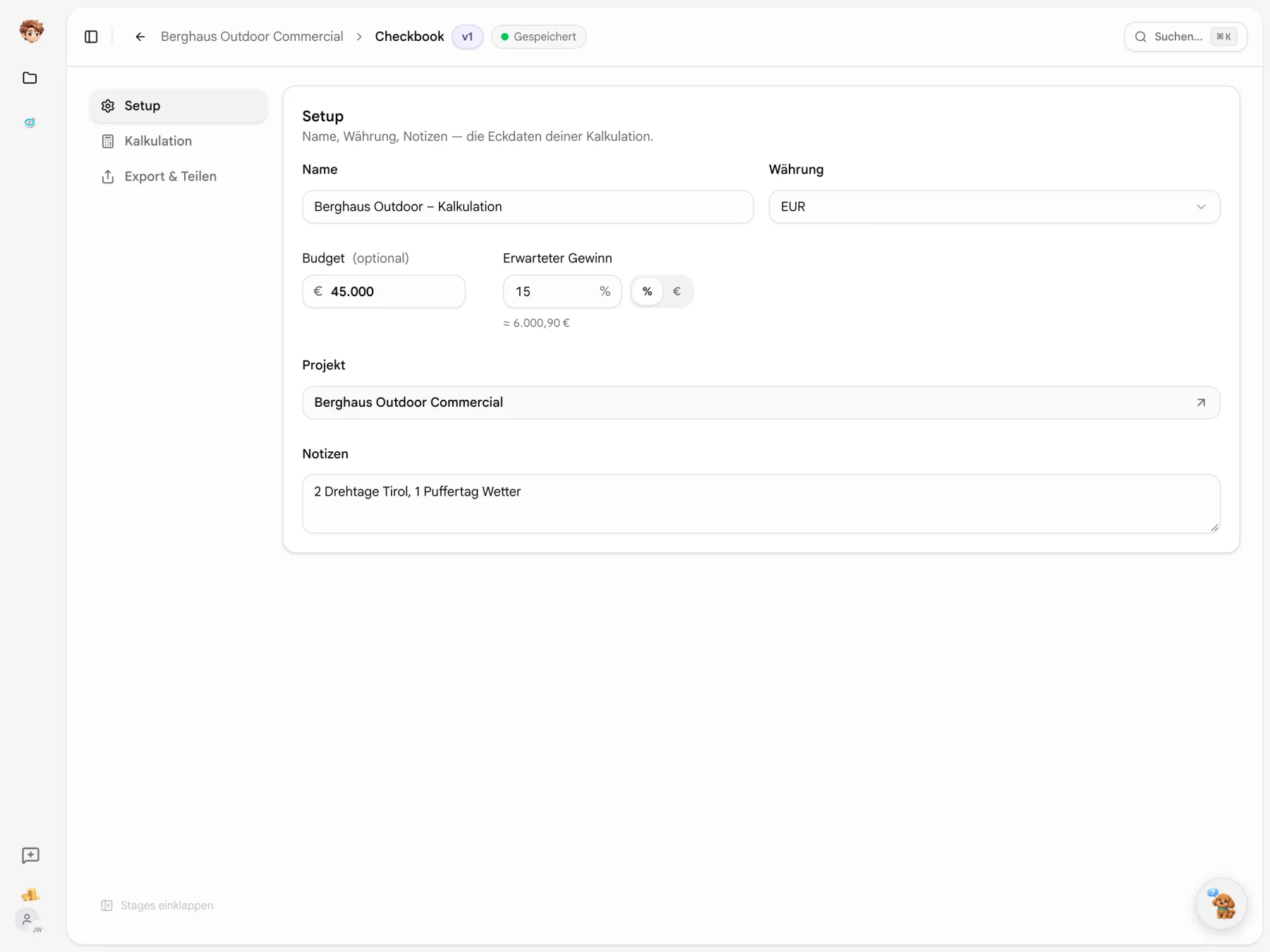
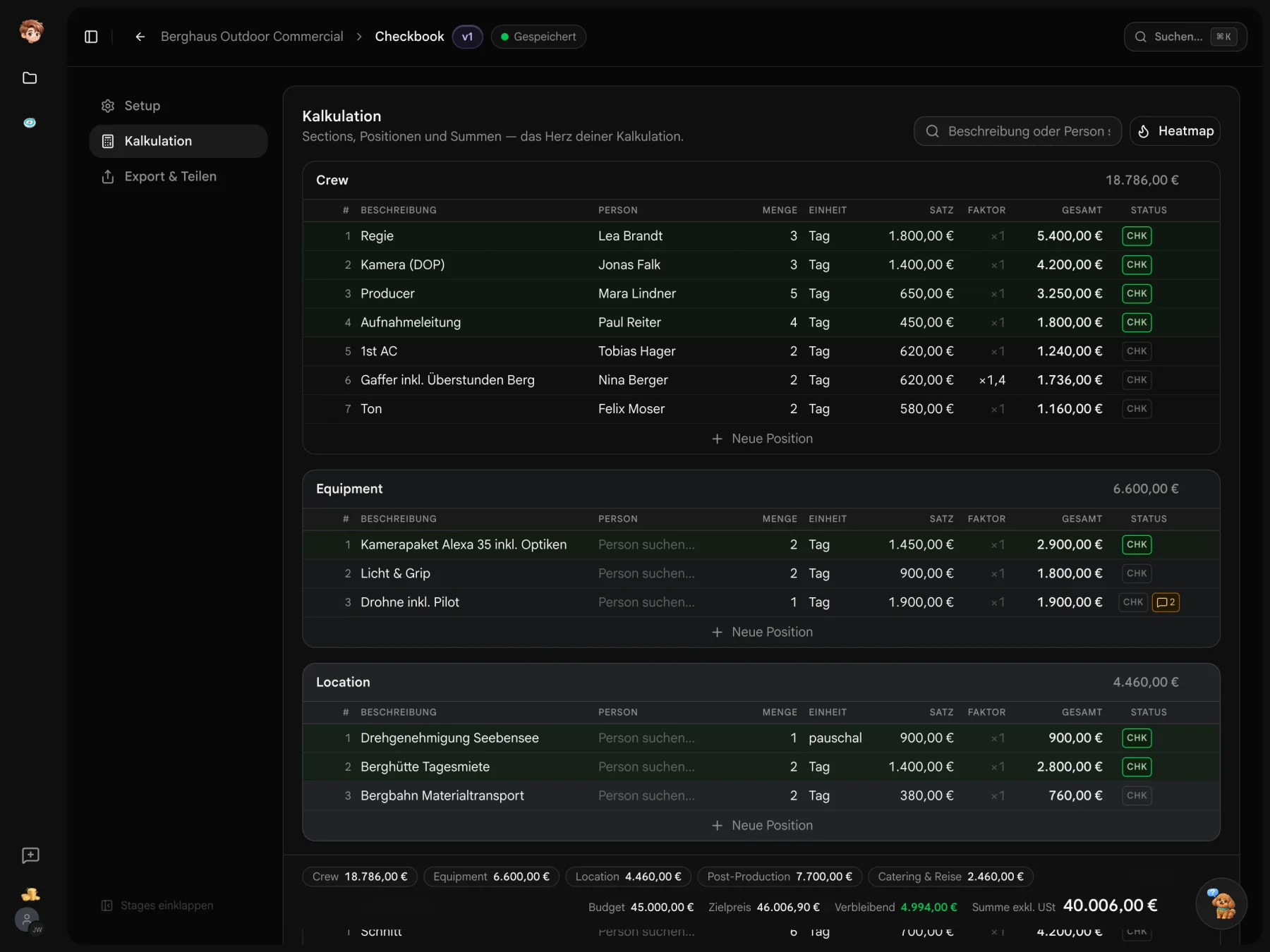
Keep the budget in view as you add line items.
Choose a project and set the currency, budget and expected profit. The totals show how your line items compare and the target price they produce.
From the budget to the crew list.
Link a line item to a contact and add the person and role to the project crew list. Existing entries are kept. Assign their shoot days in Callsheeter afterwards.
Calculation
Push crew to projectCrew
Subtotal €17,626
Director
Lea Brandt3 days × €1,800
€5,400
DoP
Jonas Falk3 days × €1,400
€4,200
Producer
Mara Lindner5 days × €650
€3,250
Production manager
Paul Reiter4 days × €450
€1,800
1st AC
Tobias Hager2 days × €620
€1,240
Gaffer
Search people …2 days × €620× 1.4
€1,736
Crew list
Berghaus Outdoor Commercial
- JF
Jonas Falk
DoP
- ML
Mara Lindner
Producer

You assign shoot days in Callsheeter.
A budget can have more than one version.
Compare alternatives, check line items and discuss questions beside the figures they concern.

Compare alternatives
Save an alternative as a version. Compare two versions line by line and see the differences.

Protect checked line items
Mark a checked line item to lock the row. The overview shows the amount that still needs checking.

Keep questions with the figures
Comment on a line item and mark resolved questions as done. Threads stay attached when you switch versions.
Fewer rows, same total.
Enter a description or a name to find matching items across departments. The table gets shorter; the budget still includes every item.
- Description or name
- Find the camera kit by its description, or a crew member by name.
- Totals stay complete
- Department totals and the grand total still include the hidden items.

Does the extra day fit the budget?
One day becomes four. Save the quantity and the totals update, with the amount over budget shown in red.
- Edit the row
- Double-click a cell to edit it. Enter saves; Esc cancels.
- Profit in the target price
- The target price includes costs and the expected profit set in setup.

The big items in each department.
Turn on the heatmap to compare amounts within a department. Higher-cost unchecked items get a stronger shade of red.
- One scale per department
- The most expensive item sets the colour scale. Lower amounts get lighter shades.
- Checked rows stay green
- Checked items keep their green background when the heatmap is on.

Work out the costs of your next film.
Create a budget for your project and start with the first departments. Try Checkbook on the free plan.
Start for free · Compare plans and features
Working with Checkbook
Budgets, versions and access permissions
Use Checkbook in one project on the free plan. Paid plans are per workspace and start at €29 a month before tax. People opening a view-only link do not need an account or an additional full seat.
Build production budgets, comment on line items, compare versions and share a PDF or link. Checkbook currently does not replace quotation or invoicing software. Development is ongoing.
Workspace owners, admins and producers have access to the figures. Access for assistants can be turned off in workspace settings. Project guests cannot access budgets or day rates.
Link line items to contacts and choose “Add crew to project”. People are added to the crew list with their budgeted roles. Existing entries only have empty fields filled in. Assign their shoot days in Callsheeter.
The PDF and view-only link show the exported sections, line items and totals. Internal check marks, comments, versions, budget targets and profit settings stay with your team. You can disable or replace the link.
Yes. Save an alternative as a version and compare two versions line by line, including their differences. The current state is saved before you switch versions.