

Your cut is ready for feedback.
Show your film through a dedicated screening link. Clients and agencies comment at the timecode; decision-makers record approval against the version they reviewed. Feedback stays with the film.
Create a screening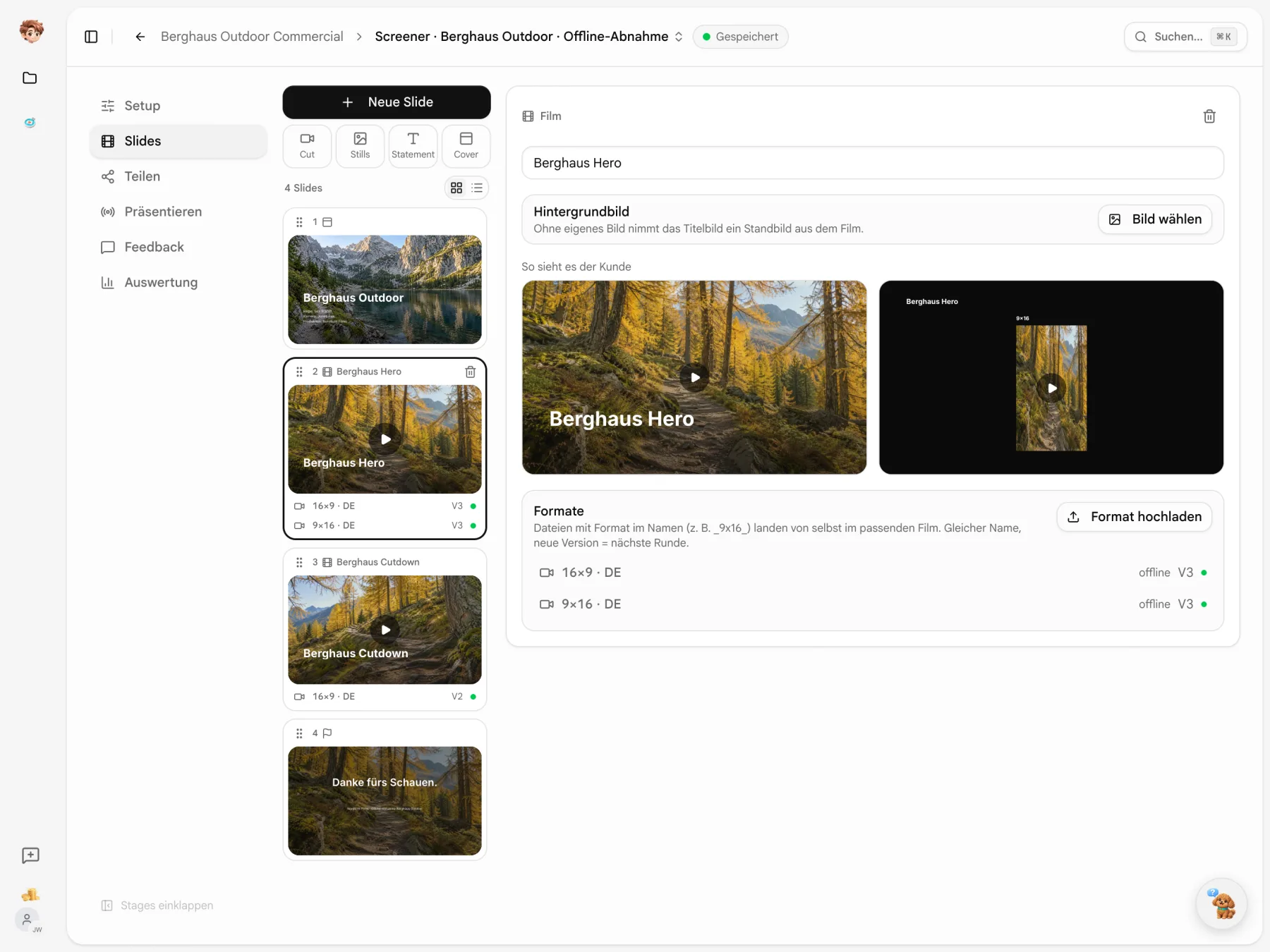
Present the film the way you want it seen.
Arrange the cover, films, formats and closing slide, then choose the logo and colours. Filenames help match uploads to films, formats and new versions.
Put the comment where it belongs.
Pause the video, comment at the timecode and mark a point in the frame if needed. An approval is recorded with the name, time and version.

Comments
The screening includes what happens next.
Watch together, keep track of versions and see how your links are used.
Watch live together
Start a live screening and guide the presentation. Recipients follow the slides and playback; use the laser pointer to highlight details.

Keep versions organized
Upload a new version with a note about the changes. Earlier versions remain until you remove them, with their own comments and approvals.
Review viewing activity
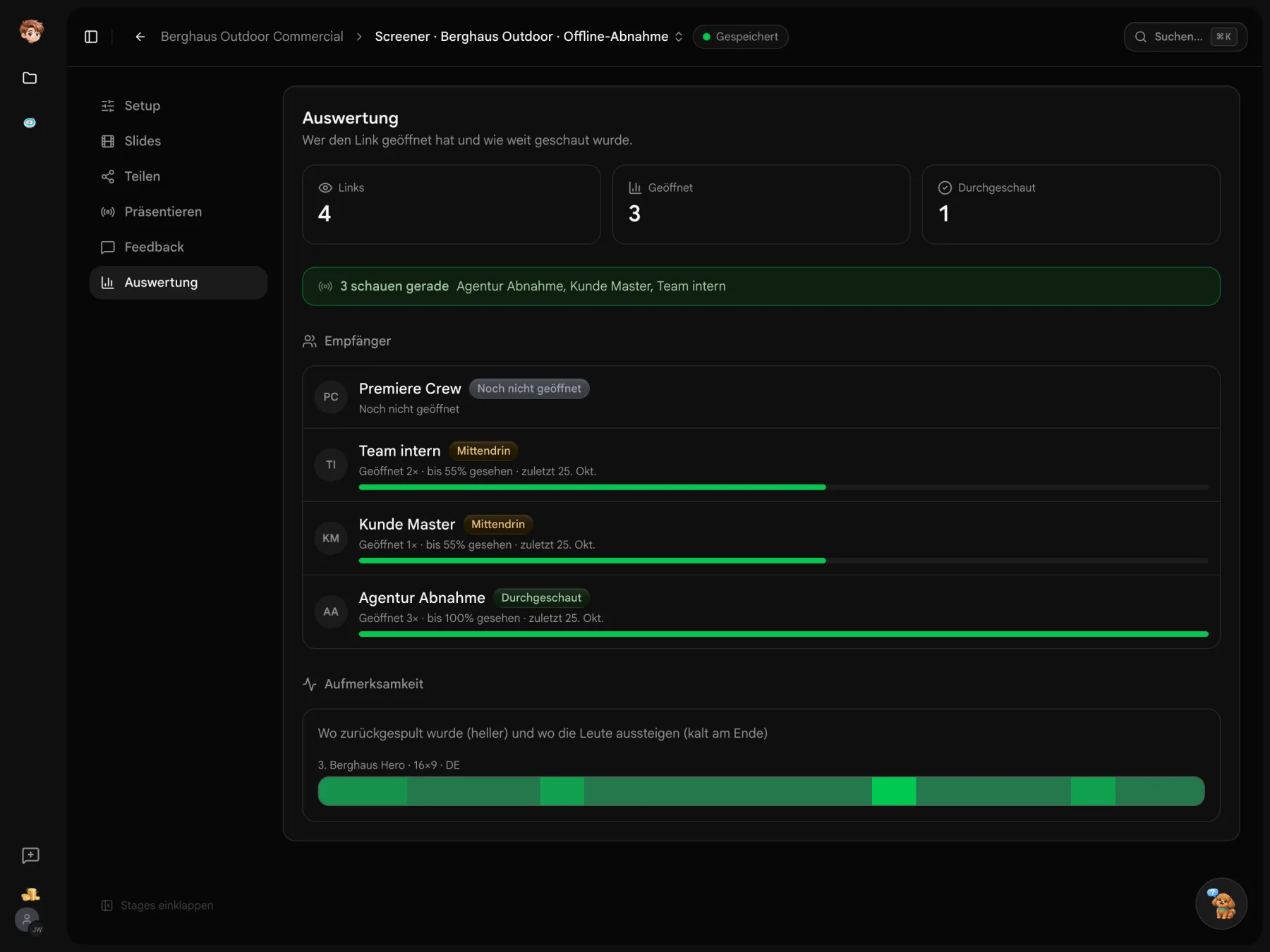
See recorded opens and viewing progress for each link. The analytics show the activity captured; enable an email notification when a link is opened.
A change note for each version.
Open a format to see its current version and change note. Earlier versions sit below, with dates, authors and their own notes to refer back to.
- A sequence per format
- 16×9 and 9×16 each have their own version numbers.
- Notes on the link
- Enable version notes so recipients can read the changes and view earlier versions.

Who gets to approve the cut?
Choose the occasion for the link. Offline approval sets the role and enables approval and a note. Adjust individual switches as needed.
- Approval needs a role
- Only recipients with the approver role on that link can give binding approval.
- Watch the film first
- “After first viewing” keeps tools off the image during the first watch.

You lead the live screening.
Start the live session and move from the cover to the film. Everyone on the link follows your slide changes. You control playback and pause for the room.
- Timecode for the room
- The timecode display applies to everyone in the room.
- Who is here?
- Room status shows who currently has the link open.

Your presentation photos are already in the project.
Use the media pool to bring images from Casting Binder, Scoutglass, Shorder or Deckster into a Screener gallery.
Explore the project tools


Get a response to your film.
Create a screener, upload your film and share a review link. Get started for free.
Start for free · Compare plans and features
Before your first screening link
Access, comments and approvals
Try Screener in one project on the free plan. Paid plans are per workspace and start at €29 a month before tax. Videos count towards workspace storage. Recipients do not need an additional full seat.
Recipients open their link in a browser without a Little PA account. They enter their name when commenting or approving. Set any additional access conditions in the link settings.
Use password protection, personal links and an expiry date, or end access after a complete viewing. A personalized watermark can display the recipient’s name and email over the video. It does not prevent screen recording.
A comment belongs to a timecode and can include a mark on the frame. Only someone with the decision-maker role on the link can submit an approval. “Approved”, “approved with changes” or “changes requested” is recorded against the relevant version.
Comments and approvals stay with their version. The new version appears on the link once processing is complete. Earlier versions remain playable until you remove them. A change note helps recipients understand what is new.
Build a screening, share links, present live and use comments, approvals and records. Screener is still being developed, so details may change. Contact the team through in-app feedback.