
How much can you fit into a shoot day?
Plan shots, setup time, location moves and breaks together. Shorder calculates your shooting schedule so you can see when your planned day will end.
Plan a shoot day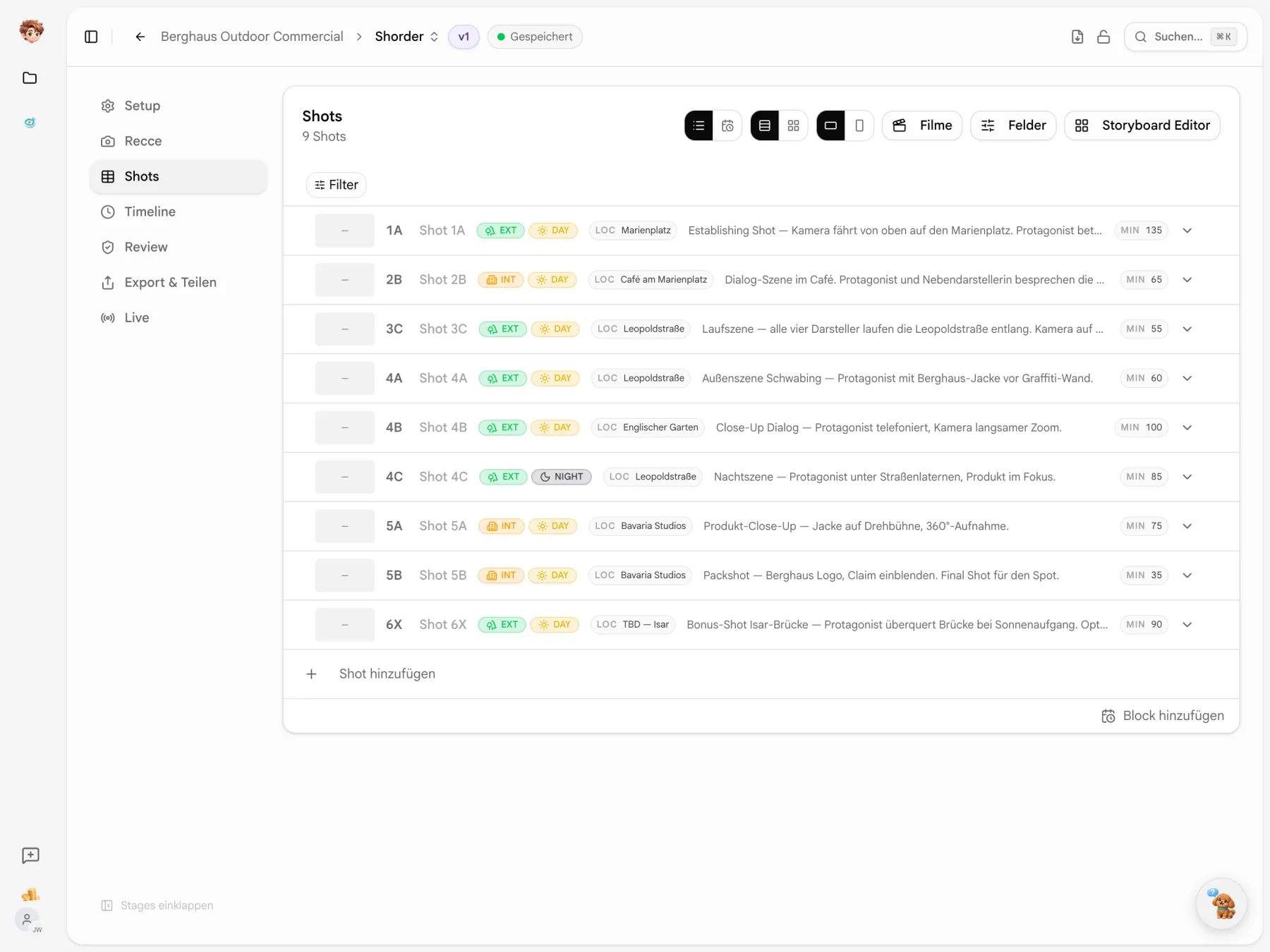
Turn your storyboard into a shot list.
Upload your storyboard as a PDF. AI reads shots, descriptions and cast, keeping the printed shot numbers. Check the details and draw a frame around the image for each shot. Then add your selection to the shot list.
Lena has to leave at five.
Cast availability and location hours shape the day. Describe your constraints in plain language and let AI suggest a shooting order. Review whether it works for your shoot.
Constraints
What should AI take into account when suggesting the order?
Planning continues on set.
Build your shoot day in the timeline and share the schedule with a live link. The crew can follow it on a phone or tablet throughout the shoot.

Room for shots and everything in between
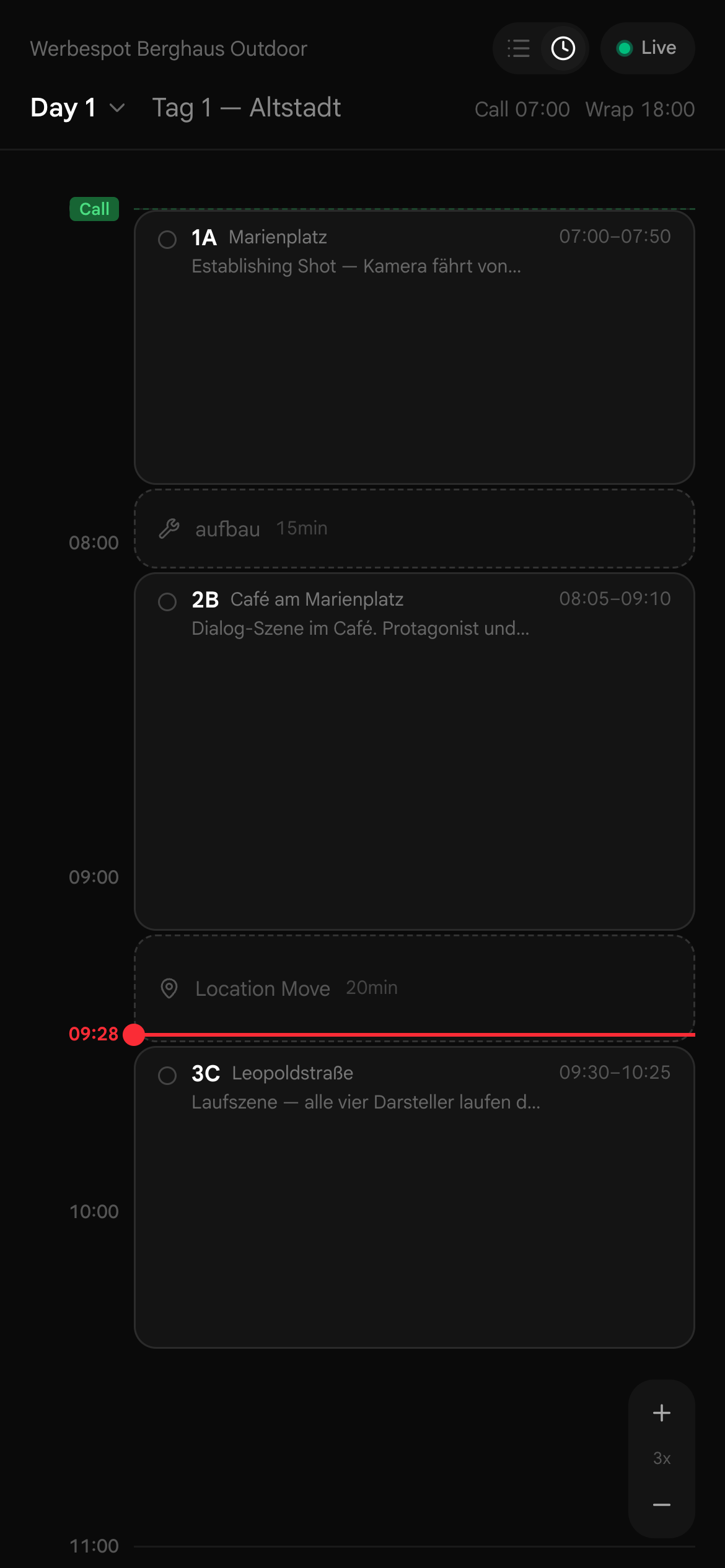
Drag shots, setup, lunch and location moves into the shoot day. The timeline shows the order and the time you have allowed for each.
- 1AEXTDAYEstablishing shot — camera drifts down onto Marienplatz. Protagonist enters the…50min
- Setup15min
- 3CEXTDAYWalking scene — all four cast walk down Leopoldstraße. Camera on D…55min
- 2BINTDAYDialogue scene in the café. Protagonist and supporting cast discuss the new…65min
- Lunch45min
- Location MoveLeopoldstraße20min

Your shooting order on set
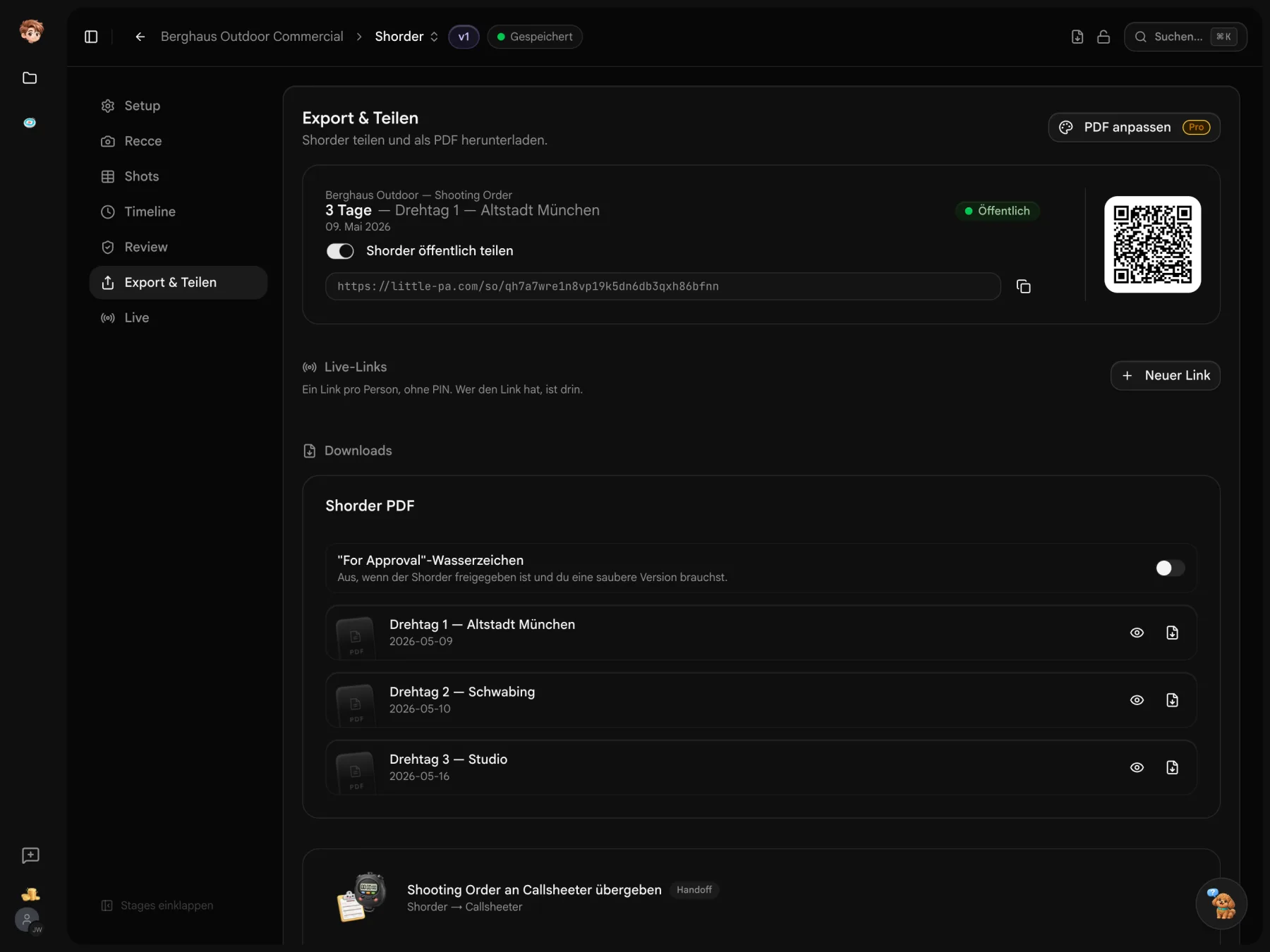
Open the plan on a phone or tablet using a live link. With the right permissions, you can mark shots as done, adjust timings and change the order.
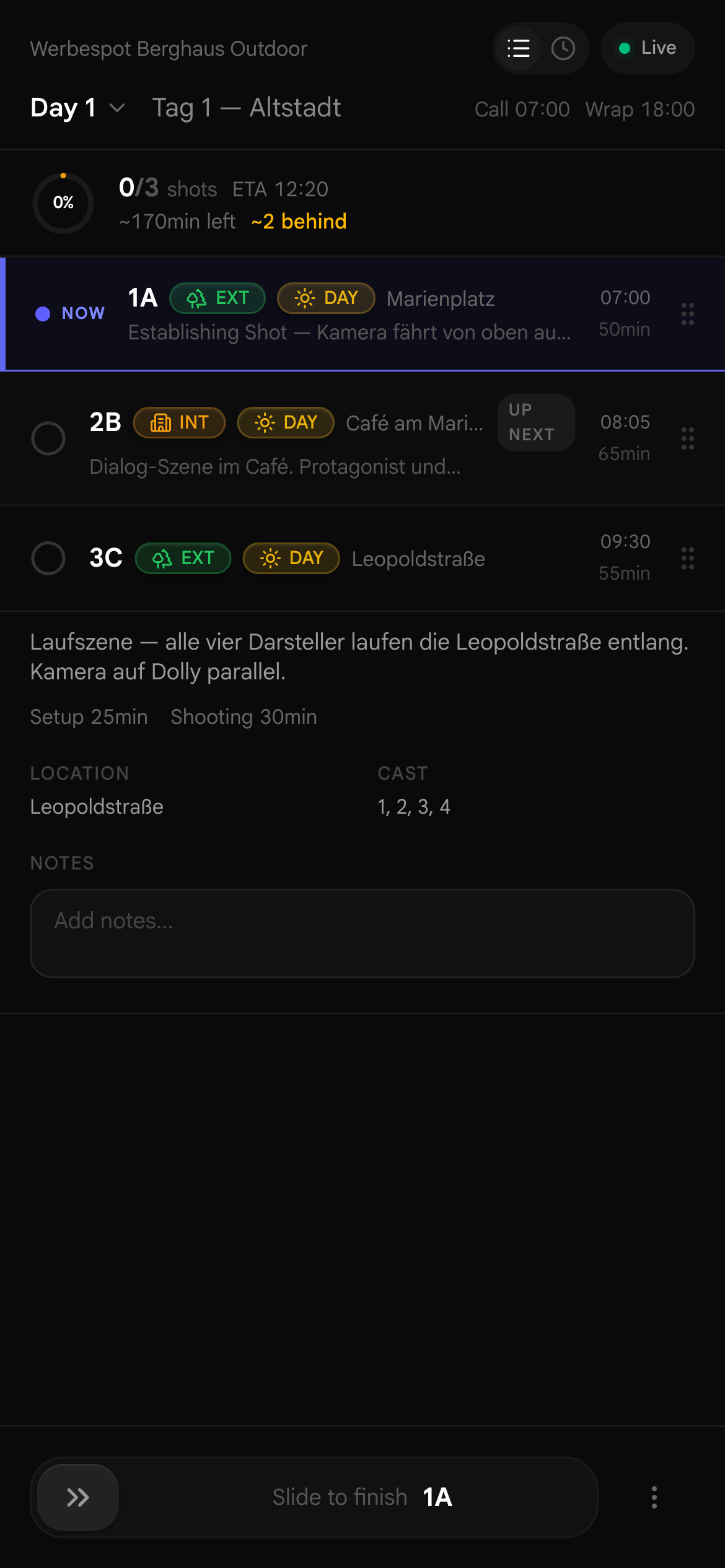
Move a shot. Both days recalculate.
Use the menu to move a shot to another shoot day. It goes at the end of that day, before the closing blocks.
- Every day in one timeline
- Shoot days sit one below the other. You can also drag shots from one day to the next.
- Warnings for each day
- Shorder flags overtime, return trips to a location and cast conflicts on the affected shots.

Two crews, one shoot day.
Drag a shot onto “Shoot in parallel”. It gets its own timeline alongside the main unit, starting at the time where you drop it.
- Each unit has its own times
- Set start and lunch times per unit and day. You can add up to two units alongside the main unit.
- Cast can’t be in both places
- If the same person is scheduled in two units at once, Shorder flags the affected shots.

Which shots need this cast member?
Filter by cast, camera setup, props or dressing. The shot list shows only matching shots. In the timeline, the others stay visible but greyed out.
- Reuse your tags
- Create tags for cast, camera setup, props and dressing, then reuse them across shots.
- Combine tags
- Select two tags to see only shots that carry both.

Plan in Shorder. Send with Callsheeter.
Transfer your planned shoot day to a callsheet. Add crew, meeting points and transport, then send it out. Both tools work within the same project.
Explore all tools

“First time I had the board done on script day. Normally that's two evenings stuck in Excel.”
Give your shots a shoot day.
Start with a storyboard PDF or add shots yourself. Try planning your first shoot day on the free plan.
Start for free · Compare plans and features
A few details before you plan.
Import, shoot days and working together on set
AI import reads shots, descriptions and cast from storyboard PDFs, keeping the printed shot numbers. Check the details and draw a frame around the image for each shot before importing your selection. You can combine images into a PDF in setup. Direct import of Final Draft, Movie Magic or Fountain files is not currently supported.
Review the import suggestions and correct the details or image panels before adding them. You can also edit shots in your shot list afterwards.
Yes. Create multiple shoot days and assign shots to them. Each day has its own order and timings, and you can move shots between days.
Share the schedule through a Shorder live link for phones and tablets. Depending on their permissions, recipients can view the plan or edit it on set. You can also transfer the planned day to Callsheeter.
People with editing permissions can reorder shots and adjust timings in the live plan. Shorder recalculates the following times. If you need the updated schedule in your callsheet, transfer the day to Callsheeter again.
Yes. Add shots manually, enter timings and plan the shooting order yourself. AI import is optional.